
- Services
A native desktop app for Nous Research's self-improving Hermes agent.
GitHub Stars
221.2K
4%Contributors
2.3K
Release Downloads
1.3K
Latest Version
v2026.7.20
Hermes Desktop is the official native desktop app for Hermes Agent, the open-source self-improving AI agent built by Nous Research. It is not a separate product or a lightweight chat wrapper. It runs the same agent core as the CLI and gateway, sharing config, API keys, sessions, skills, and memory across every surface. If you have used hermes in a terminal, everything you set up there is already available in the desktop app, and anything you do in the app shows up in the CLI.
The app is positioned at the intersection of agent runner and chat GUI. Unlike a pure local chat app such as LM Studio or a model manager like Ollama, Hermes Desktop is built for agentic workflows: persistent memory, skill generation from experience, tool execution, and multi-platform reach. It is designed for developers, ML teams, and technical founders who want a self-improving agent that lives on their desktop but can also operate through Telegram, Discord, Slack, and other channels via the same Hermes gateway.
Hermes Desktop was first released in 2026 as a public preview. It is fully open source under the MIT license and has quickly become the recommended install path for Hermes users, replacing the need for third-party GUIs or terminal-only interaction.
The core experience is a chat-first window with a left sidebar for navigation. You can start a conversation, attach files by drag-and-drop, and see streaming responses with live tool activity and structured tool-call summaries. A right-hand preview rail lets you render web pages, files, and tool outputs side by side while you continue chatting.
The app supports both local and cloud models. You can connect to models running on your own machine (via local inference engines) or use cloud providers such as Nous Portal, OpenRouter, OpenAI, or any OpenAI-compatible endpoint. Switching models is done with a simple command or UI setting, no code changes required.
Beyond chat, Hermes Desktop is a full agent runner. It gives you:
| Platform | Support |
|---|---|
| macOS | macOS 12+ (Apple Silicon and Intel) |
| Windows | Windows 10/11 |
| Linux | Any distribution (install via terminal) |
Hardware requirements: The app runs on any system that can support the Hermes agent runtime. Apple Silicon is confirmed. For local models, the hardware requirements depend on the model size and inference engine you use. The app itself is lightweight; the heavy lifting is done by the model provider or local inference backend.
Pricing: Hermes Desktop is free and open source (MIT license). There is an optional Nous Portal subscription that provides access to Nous Research models, search capabilities, and image generation. The core agent, all local model support, MCP, voice, and scheduling are free. You can use any third-party model provider (OpenAI, OpenRouter, etc.) without a Portal subscription.
System requirements: No specific CPU or GPU minimums are published, but for a smooth experience with local models, a machine with at least 16 GB RAM and a modern GPU (NVIDIA, AMD, or Apple Silicon) is recommended. CPU-only operation is possible for smaller models.
One agent everywhere. The desktop app drives the same Hermes agent as the CLI and gateway. Config, API keys, sessions, skills, and memory are shared. You can switch between interfaces without losing context.
Self-improving core. Hermes builds skills from experience. When it solves a problem, it saves the approach as a reusable skill document. Over time, it refines those skills, searches its own past conversations, and builds a deepening model of user preferences across sessions. This is the core differentiator from static chat apps.
Tools, MCP, and voice. Connect MCP servers to extend the agent’s capabilities. Run tools with streaming output. Talk to the agent by voice using built-in speech recognition and text-to-speech. The app supports multiple simultaneous agent conversations, file attachments, and a preview rail for inline rendering of web pages and tool outputs.
Broad model support. Use any model from any provider that Hermes supports: Nous Portal, OpenRouter, OpenAI, Anthropic, Google, local endpoints (Ollama, LM Studio, vLLM), and many others. Switch with a single command or UI toggle.
Agent delegation. Create isolated sub-agents with their own conversations, terminals, and Python RPC scripts. This allows the main agent to offload tasks without polluting its context window.
Image generation. Generate images directly from the chat interface, provided you have access to a capable model (local or cloud).
A persistent personal agent. Run an agent that learns your preferences, remembers your projects, and builds skills over time. It can manage your files, do web research, and automate repetitive tasks. Because memory persists across sessions, the agent gets better the more you use it.
Hands-on agent work without the CLI. Developers who prefer a GUI can do web research, file operations, and automations in a native window instead of a terminal. The same agent is available, but the interface is more approachable for complex multi-step tasks.
Managing providers and tools. Set up models, MCP servers, profiles, and scheduled jobs through the settings UI. The app provides a central dashboard for all your Hermes configuration, making it easier to manage multiple providers and tool integrations.
Private offline AI. Use local models to keep all data on your machine. Hermes Desktop works fully offline with local inference engines, making it suitable for sensitive environments or when cloud connectivity is unavailable.
Development backend. Run the agent as a local development assistant that can read your codebase, execute shell commands, and generate code. The MCP support allows deep integration with your development tools.
hermes desktop and the app will launch using your existing config.~/.hermes (or %USERPROFILE%\.hermes on Windows) and is shared with the CLI.For full documentation, visit [hermes-agent.nousresearch.com/docs](https://hermes-agent.nousresearch.com/docs). Community support is available on the Nous Research Discord server.
Hermes Desktop vs LM Studio. LM Studio is primarily a local model runner and chat GUI. It excels at downloading, managing, and running local LLMs with a simple interface. Hermes Desktop, by contrast, is an agent platform. It does not manage model downloads directly (you bring your own model via a provider or local endpoint). If you only need to chat with a local model and don’t need memory, skills, tool execution, or multi-surface agents, LM Studio is simpler. If you want a self-improving agent that works across desktop, CLI, and messaging apps, Hermes Desktop is the better fit.
Hermes Desktop vs Ollama. Ollama is a model manager and local inference server. It does not have a built-in agent or persistent memory. You can use Ollama as a backend for Hermes Desktop (point the app to a local Ollama endpoint). Hermes Desktop adds agentic capabilities on top of any model provider. If you need a lightweight way to run models locally, use Ollama. If you need an agent that learns and automates, use Hermes Desktop.
Hermes Desktop vs Claude Desktop. Claude Desktop is Anthropic’s proprietary desktop app for its cloud models. It offers a polished chat experience with some tool use (MCP) but is closed source, requires a paid subscription, and does not support local models or self-improvement. Hermes Desktop is fully open source, supports any model (local or cloud), and includes a learning loop. Claude Desktop is simpler for cloud-only chat; Hermes Desktop is more flexible and powerful for agentic workflows.
Trade-offs: Hermes Desktop is heavier than a simple local chat app because it runs a full agent runtime. It launched as a public preview in mid-2026, so it is still maturing. Full capability (models, search, image generation) leans on the optional Nous Portal subscription, though you can use other providers for free. For users who want a pure local chat experience without agent features, simpler alternatives exist. For those who need an open source, self-improving agent that works everywhere, Hermes Desktop is the most capable option available.
What the app gives you out of the box, in plain language.
The desktop app drives the same Hermes agent as the CLI and gateway, with shared settings and memory.
Builds and refines skills from experience, keeps memory across sessions, and delegates to sub-agents.
Connect MCP servers, run tools with streaming output, and talk to the agent by voice.
The jobs this app is best suited for.
Run an agent that learns your preferences and builds skills over time.
Do web research, file tasks, and automations in a native window instead of a terminal.
Set up models, MCP servers, profiles, and scheduled jobs through a settings UI.
Free and open source. Optional Nous Portal subscription for models and tools.
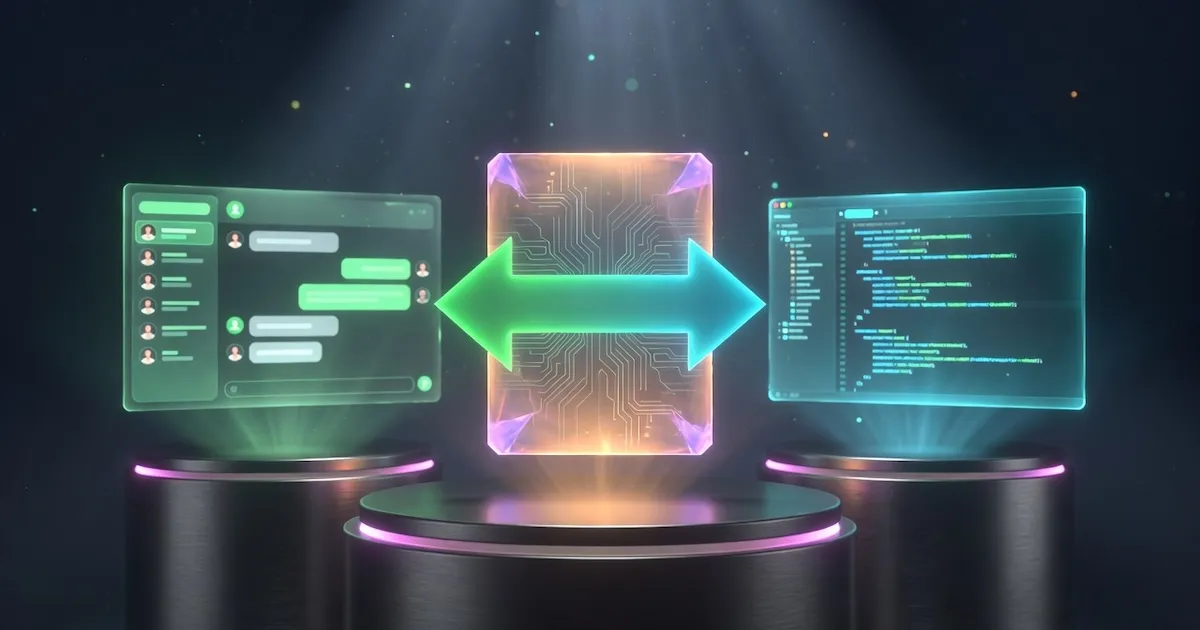
Side-by-Side
Add a second or third app and see stars, downloads, platforms, and capabilities lined up next to each other.
Close alternatives worth a look before you decide.

Anthropic's Claude as a native desktop app, with built-in support for local tools through MCP.
Claude Desktop puts Anthropic's Claude models in a native app for Mac and Windows. It was the first place MCP landed, so Claude can read your files and use local tools and services directly. It runs on your Claude account, free tier included, with more usage on Pro and Max.
Claude on the desktop with first-class MCP
Download from claude.com/downloadStars
—
Downloads
—
PewDiePie's open-source, self-hosted AI workspace that runs on your own hardware.
Odysseus is a self-hosted AI workspace from PewDiePie that runs on your own hardware. It bundles chat, agents, web research, documents, notes, and model comparison into one private dashboard with no telemetry. It connects to local engines like Ollama and LM Studio, or cloud APIs.
Self-hosting your whole AI workflow in one app
git clone github.com/pewdiepie-archdaemon/odysseus && docker compose up -d --buildStars
84.8K
Downloads
—
Your native open source AI agent for code, workflows, and everything in between.
Goose is an open source AI agent you run yourself, as a desktop app, CLI, or API. It goes beyond chat: it installs, runs, edits, and tests code and connects to your tools via MCP. Works with 15+ providers, cloud or local via Ollama. Built by Block, now at the Linux Foundation.
An open source agent that does real work on your machine
Download from goose-docs.ai (or brew install --cask block-goose)Stars
54.7K
Downloads
22.7K
A desktop AI app is a program you install on your computer to chat with, code with, run agents on, or fine-tune AI models. It sits on top of the inference engines and models that do the real work and gives you a friendly interface instead of a command line.
Hermes Desktop is offered under a Open Source model. Check the pricing section on this page and the app’s own site for the latest details, since tiers and limits change over time.
Hermes Desktop is maintained by Nous Research. See the capabilities section above for the exact list of platforms it supports, along with whether it runs models locally, connects to cloud APIs, or both.

