I Built a Free Private AI Transcription App — Here's How
Echos is a free, open source offline transcription app using Whisper AI. No cloud, no subscriptions. Learn how it was built from MVP to production.
Last updated: Sep 4, 20268 mins read
Table of Contents
📝 Audio Version
Building Echos: An Open Source Offline Transcription Journey
Imagine transcribing any conversation, lecture, or voice note completely offline. No cloud, no subscriptions, no data ever leaving your device. And it's free and open source.
That's exactly what I built with Echos at A1 Lab. And in this post, I'm going to walk you through how I went from a rough prototype to a production Android and iOS app — and how AI tools helped me ship it faster than I ever expected.
Echos is a voice-to-text transcription app that runs entirely on your device using local AI models like OpenAI's Whisper. Your audio never touches a server. Nothing goes to any cloud AI service.
There's no login, no subscription. It's truly free forever and it's open source under the MIT license. You can fork it, clone it, create pull requests — the code is all on GitHub.
So why build yet another transcription app? Because most of them fail at one or more of these things:
- They require internet. Cloud-based transcription means your audio gets uploaded to someone else's servers. For journalists, therapists, lawyers, or anyone handling sensitive conversations, that's a dealbreaker.
- They cost money. Most offline transcription apps charge $5-$7 or lock features behind subscriptions. Echos is completely free.
- They're closed source. You have no idea what's happening with your data. With Echos, you can read every line of code yourself.
Echos is part of a bigger project called A1 Lab — a division of JAN3 focused on building powerful open-source AI tools that we use ourselves daily. Our philosophy is simple: privacy is a human right, and useful AI tools shouldn't cost you your data. Echos is our first public release.
A1 Lab by JAN3
On-device transcription used to be terrible. Think of the built-in voice recognition on older phones — it was slow, inaccurate, and barely usable. But that's changed dramatically thanks to models like OpenAI's Whisper.
Whisper is a neural network trained on 680,000 hours of multilingual audio. The key insight is that you can run smaller, optimized versions of this model directly on a phone. Research shows that quantized Whisper models can process a 30-second audio clip in about 2 seconds on a modern phone like the Pixel 7 1. And accuracy? On-device Whisper achieves word error rates below 10% on clean speech — that's 15-25% more accurate than built-in device transcription 2.
Echos currently supports 65 languages and ships with the model bundled in the app. No downloads after install, no internet needed.
Echos gives you two transcription modes:
File-based mode creates a temporary audio file while you're recording. When you stop, it transcribes the entire file and then removes it. This is more battery-friendly because it only uses compute power at the end.
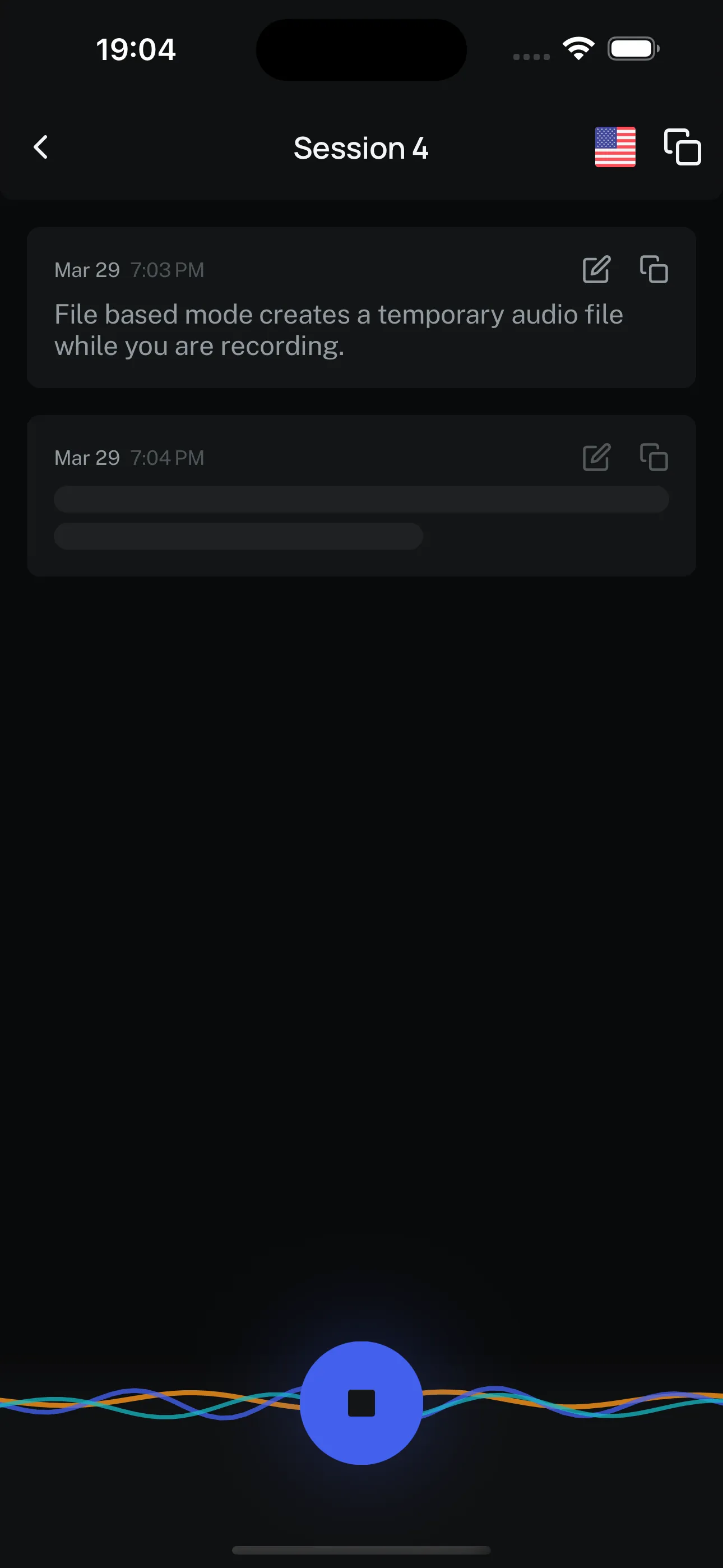
Echos file-based recording
Real-time mode transcribes as you speak. You'll see words appearing on screen while you're still talking, which is pretty cool. But it uses more compute since the model runs continuously. Think of it as a trade-off: instant feedback vs. longer battery life.
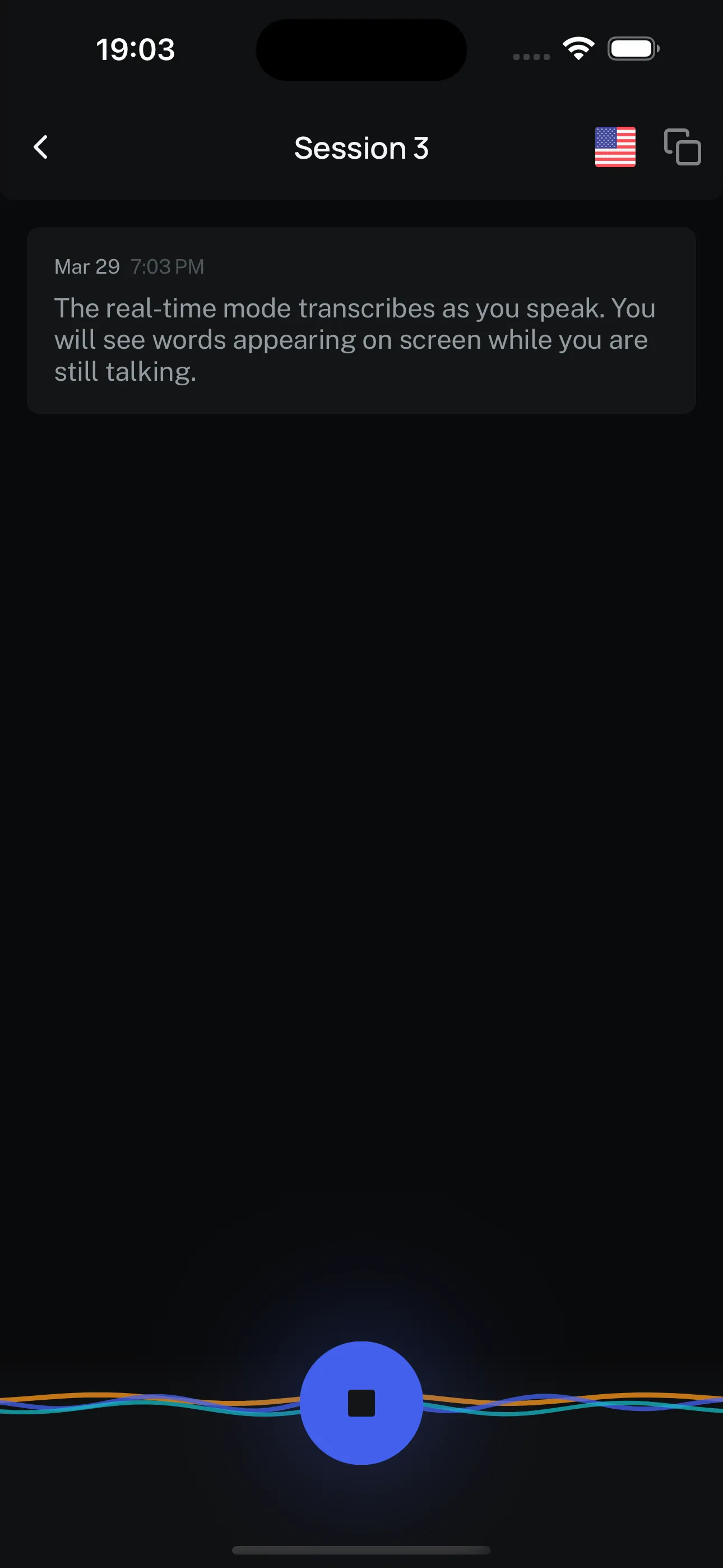
Echos real-time recording
Both modes work completely offline. Your choice depends on whether you need live transcription or just a final result.
Every transcription in Echos is encrypted at rest. Your sessions are stored on your device in encrypted form — even if someone got physical access to your phone, they couldn't just read your transcriptions.
This matters because the voice recognition market is projected to hit $23.11 billion by 2030 3, and most of that growth is going to cloud services that monetize your data. Echos takes the opposite approach: your voice data stays yours.
Transcriptions are organized in sessions. You can rename them (say, "Work Meeting March 15"), edit the transcribed text to fix any errors, copy individual items or the entire transcript, share with other apps, and delete when done. It's a simple organizer, but it makes a big difference when you're managing multiple recordings.
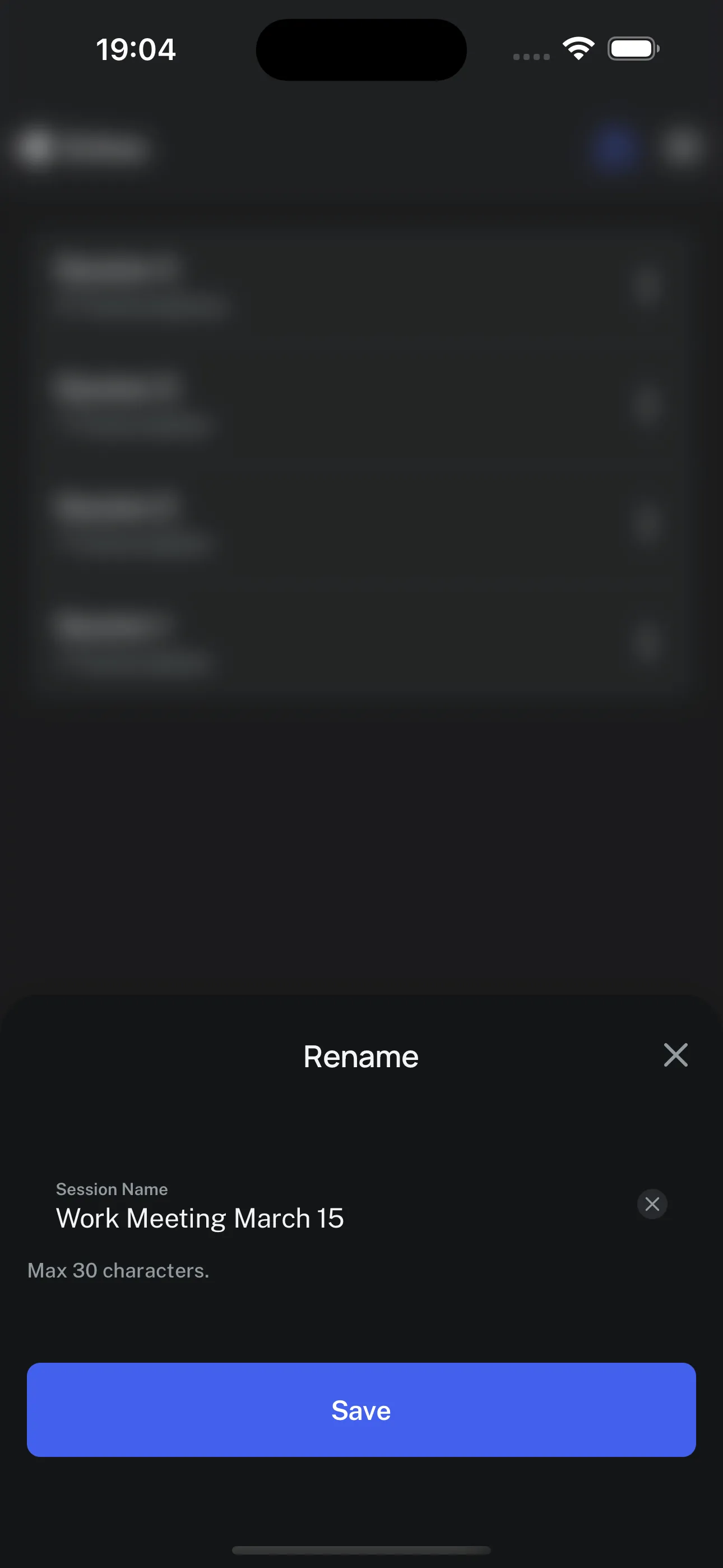
Renaming a session in Echos
This one I really like. Tap the ghost icon and your transcription runs in incognito mode. The moment you stop recording or leave the app, the transcription is instantly deleted. Nothing gets saved. This is perfect for sensitive conversations where you need a quick reference but don't want any record.
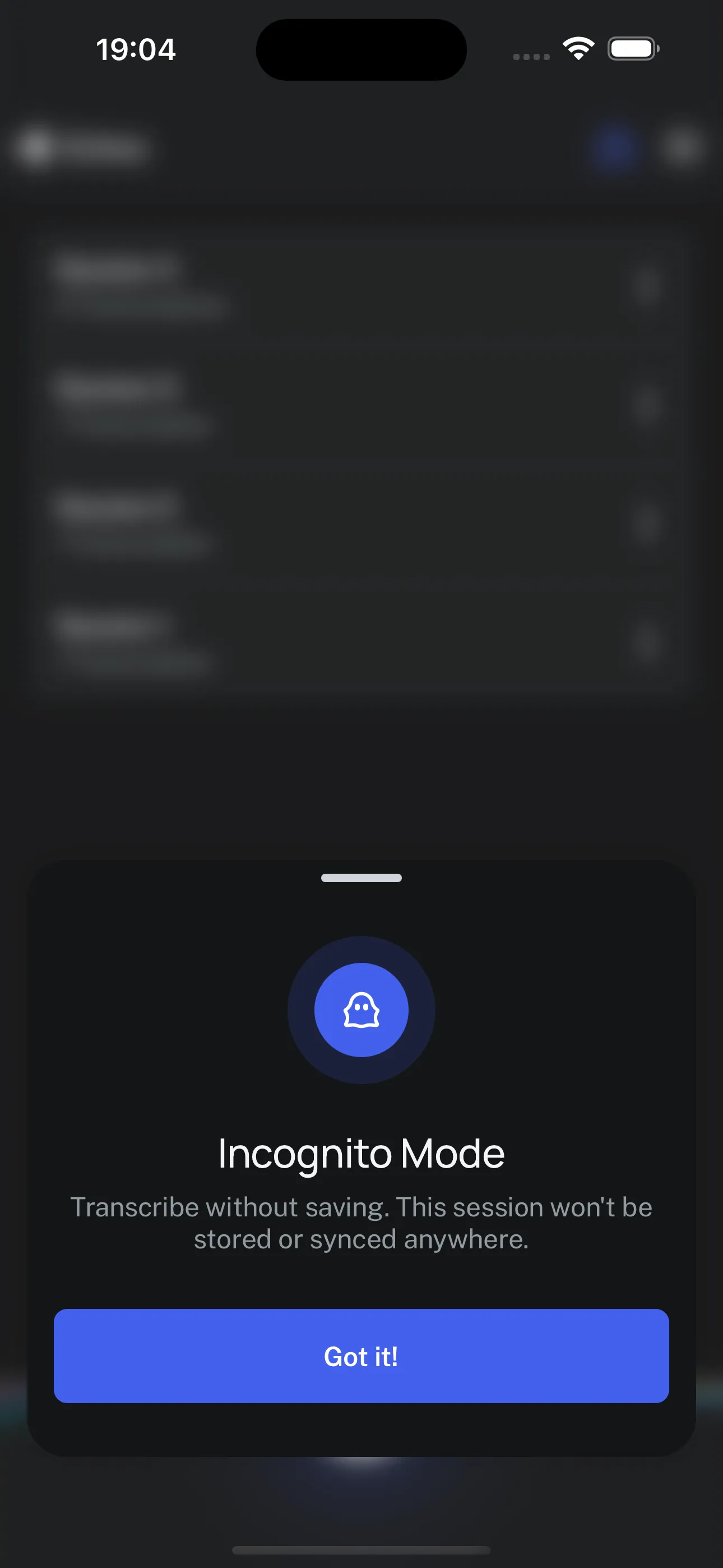
Incognito mode in Echos
You can switch to another app while Echos keeps recording in the background. Come back when you're ready, and everything is still there. This is essential for longer recordings where you might need to check something on your phone mid-session.
This is probably the question I get asked most. Yes, it absolutely can — but with trade-offs.
The Whisper model family ranges from tiny (~75MB) to large (several GB). For mobile, the small model at around 500MB offers the best balance of accuracy and performance 2. It fits in mobile memory and is accurate enough for most transcription tasks.
Quantization techniques have made this even more viable. Recent research shows you can reduce model size by up to 45% while maintaining the same word error rate and cutting latency by 19% 4. That's a massive improvement for mobile deployment.
The honest limitation: after about 30 minutes of continuous transcription, things slow down noticeably on a phone. Echos is currently best for quick voice notes, short meetings, and ideas on the go. We're actively working on making longer transcriptions more efficient.
This is the part that developers usually want to hear about. The build process went through three distinct phases, and I think there are some useful lessons in each one.
I wanted to prove we could ship something really fast. So I hacked together the first working version in Flutter in about two weeks. It was ugly — just one screen, one big record button. But it worked.
That first prototype already had Whisper C++ integrated and on-rest encryption. You could record, transcribe, and manage sessions with edit and delete. No design polish, no component library, just raw functionality.
The lesson here: don't wait for perfect. Ship something that works and iterate from there.
Our Swedish designer jumped in and designed a clean, intuitive UI based on the AQUA Wallet interface — another JAN3 project. It's modern, minimalistic, supports dark and light modes, and is gesture-friendly.
He created detailed Figma sheets for every single component: buttons in different states, typography, colors, icons. Basically every element of the app was defined before I wrote a single line of UI code. This upfront investment saved enormous time later.
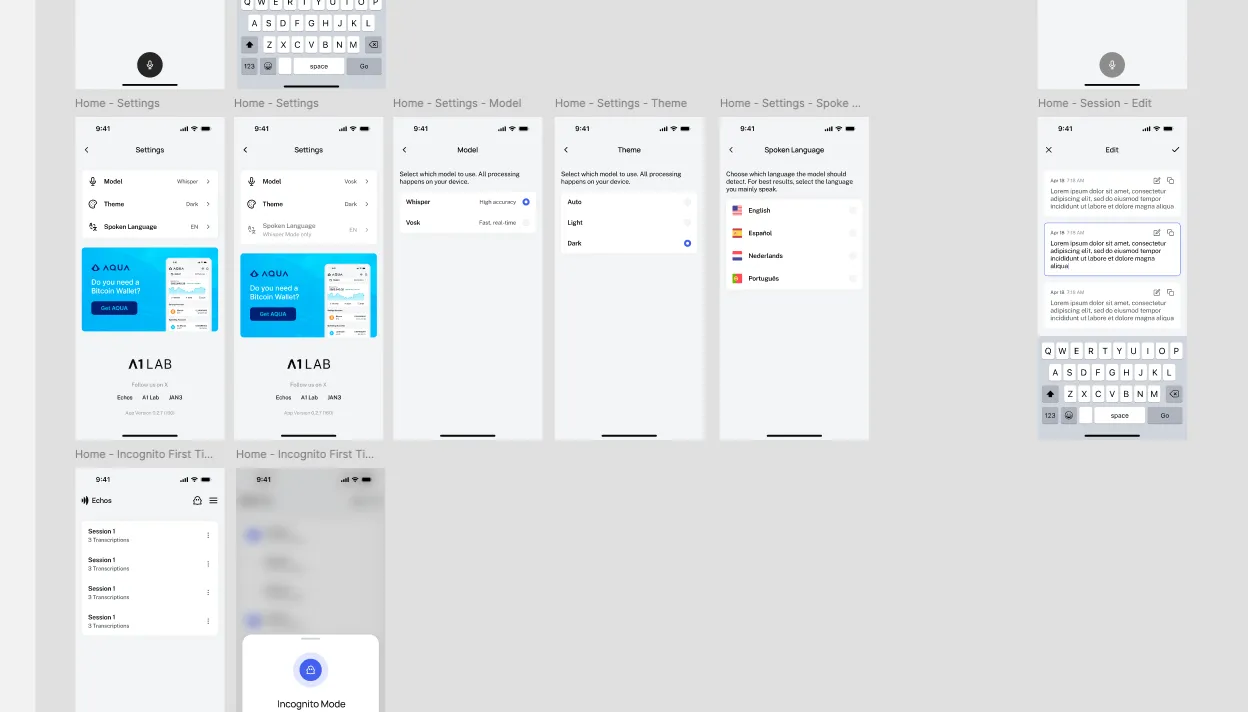
Figma UI designs for Echos
Here's where it gets interesting. After the Flutter MVP, we decided to migrate the entire codebase to React Native (using Expo as the framework). Three reasons:
- Better ecosystem support for native modules we needed
- Better architecture and tooling for our use case
- AI is significantly better at generating React code than Dart code. This was actually one of the biggest factors. When you're using AI-assisted development, the quality of generated code matters enormously, and there are far more React training examples out there.
The migration itself was AI-assisted. I created a workspace, pasted the entire Flutter codebase into a reference folder, explained the architecture to the AI, and asked it to generate a commit-friendly task list for the migration. That task list became my roadmap: set up the Expo project, install dependencies, migrate the models and theme system, then the service layers and state management, and finally the UI components.
Before building the actual screens, I created a complete reusable component library using Storybook. Every single component — buttons, checkboxes, session items, app bars, recording buttons, sliders, toggles, toasts, tooltips — was built and tested in isolation first.
The massive advantage of Storybook is that you can implement demos of different states. Selection mode enabled, different color variants, loading skeletons, error states. I could iterate over each component quickly without running the full app. This saved me a huge amount of time tweaking designs.
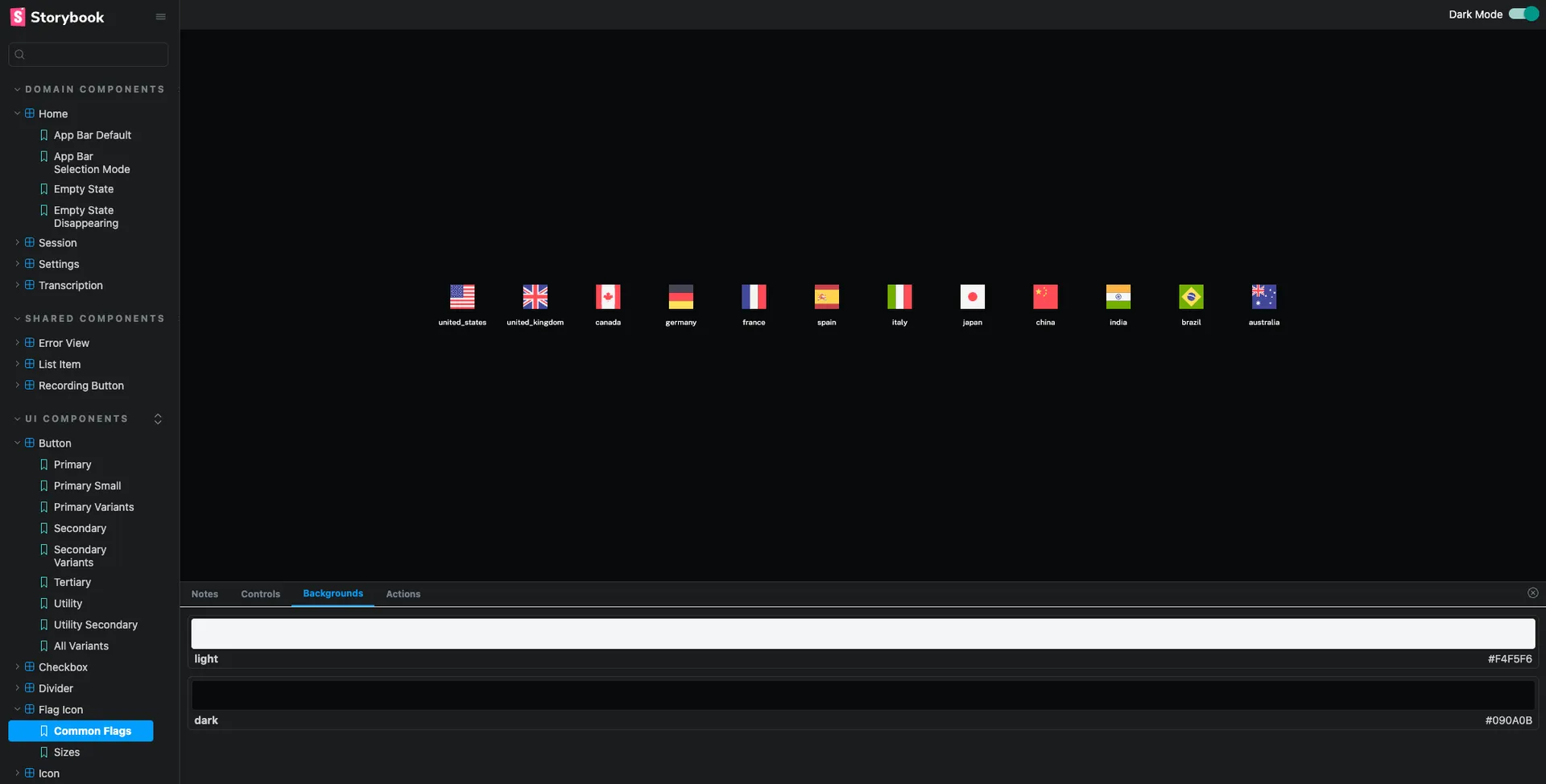
Storybook UI component library for Echos
I want to be specific about how AI tools helped, because I think this is relevant for anyone building apps today.
Figma MCP integration was a game changer. I could right-click a component in Figma, copy the link, and tell the AI to read the design information directly using the Figma MCP. Instead of manually translating designs to code, the AI could read spacing, colors, typography, and states right from the source. This alone sped up component development significantly.
Code migration from Flutter to React Native was dramatically faster with AI. Having the original codebase in the context window meant the AI already understood the app's logic and could generate equivalent React Native code that followed the same patterns.
Task decomposition was also AI-assisted. Instead of manually planning every migration step, I described the architecture and got back a structured, dependency-aware task list. This isn't magic — you still need to review and adjust — but it's a huge productivity boost.
The React Native ecosystem also played a role here. Libraries like whisper.rn provide direct bindings to whisper.cpp, with features like real-time transcription, voice activity detection, and memory management built in. This meant I could focus on the app experience instead of wrestling with low-level model integration.
We're just getting started. Here's what's on the roadmap:
- More transcription models that are even faster and lighter. The Whisper ecosystem is evolving quickly — Cohere just launched a new open-source voice model specifically for transcription 5, and NVIDIA's Parakeet is gaining traction as an alternative.
- Local LLM integration for summarization, formatting, and extracting key points from your transcriptions. Imagine recording a meeting and getting an automatic summary with action items — all processed on your device.
- Speaker labeling so you can see which person said what during an interview or meeting.
- More export options including markdown and PDF formats.
- Custom keyboard integration — this one I'm really excited about. Your keyboard would have a record button that lets you transcribe directly into any app. You're in a messaging app, you tap record, speak, and the transcription gets pasted right into your chat.
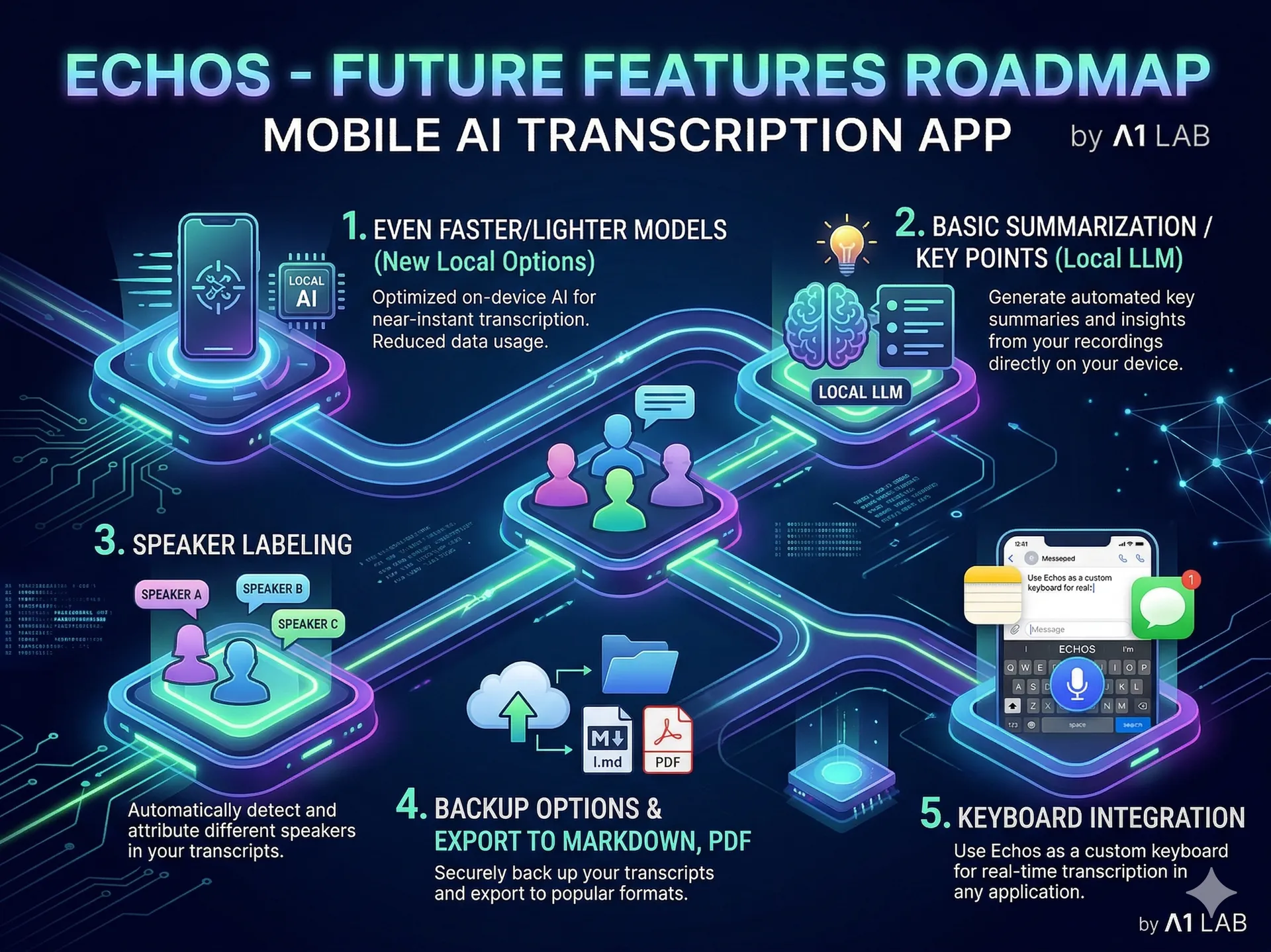
Roadmap for Echos
Echos is completely free. You can download it from:
- The Google Play Store (search for "Echos")
- The iOS App Store
- Direct APK download from the GitHub releases page
- All links at a1lab.com/download
If you're a developer, the full source code is on GitHub under the MIT license. Fork it, contribute, open pull requests — we'd love to collaborate.
I'd be excited to hear your feedback. What would you use offline transcription for? What features are missing? Drop a comment or reach out to me.
- On-device Whisper inference on Android mobile using whisper.tflite. GitHub openai/whisper Discussion #506.
- Running Transcription Models on the Edge: A Practical Guide for Devices. Ionio.ai. 2025.
- Speech and Voice Recognition Market Size, Share & Growth Report. MarketsAndMarkets. 2025.
- Quantization for OpenAI's Whisper Models: A Comparative Analysis. arXiv. March 2025.
- Cohere launches an open source voice model specifically for transcription. TechCrunch. March 2026.
About the author

Tobias Wupperfeld
Tobias is an independent AI engineer and operator who has shipped AI systems inside startups and scale-ups across fintech, procurement, engineering, and more. He runs Made By Agents focused on agentic coding and consults for companies, where he leads AI integration across processes and product lines.
Keep Reading
More Guides From the Blog
We write about coding agents, multi-agent systems, AI pair programming, and the engineering practices we use with clients. Hands-on lessons from real projects, not high-level theory.
Browse All Articles