- Services
Hands-on Replit Agent 4 review for business owners. Build landing pages and tools with AI — real demos, pricing breakdown, and honest pros and cons.
📝 Audio Version
Replit Agent 4 Security and Cost Risks
Most business owners waste $3,000 to $15,000 and four to six weeks every time they need a new landing page, marketing site, or internal tool. That's the agency reality in 2026 — custom rates running $60 to $150 an hour, discovery phases, design rounds, revision cycles. And by the time you finally ship, your competitor has already moved on to the next thing.
Replit Agent 4 promises to change that equation. It's a cloud IDE plus AI agent that lets non-technical founders, marketing teams, and project managers build production-ready web apps, landing pages, and internal dashboards — all from a single prompt. I tested it hands-on with real business use cases. Here's what actually works, what doesn't, and when you should still write that check to a developer.
Replit Agent 4 is an AI-powered development platform that shipped in March 2026 1. Think of it as a cloud workspace where you describe what you want in plain English, and the AI builds it — frontend, backend, database, and deployment included.
It runs on four pillars:
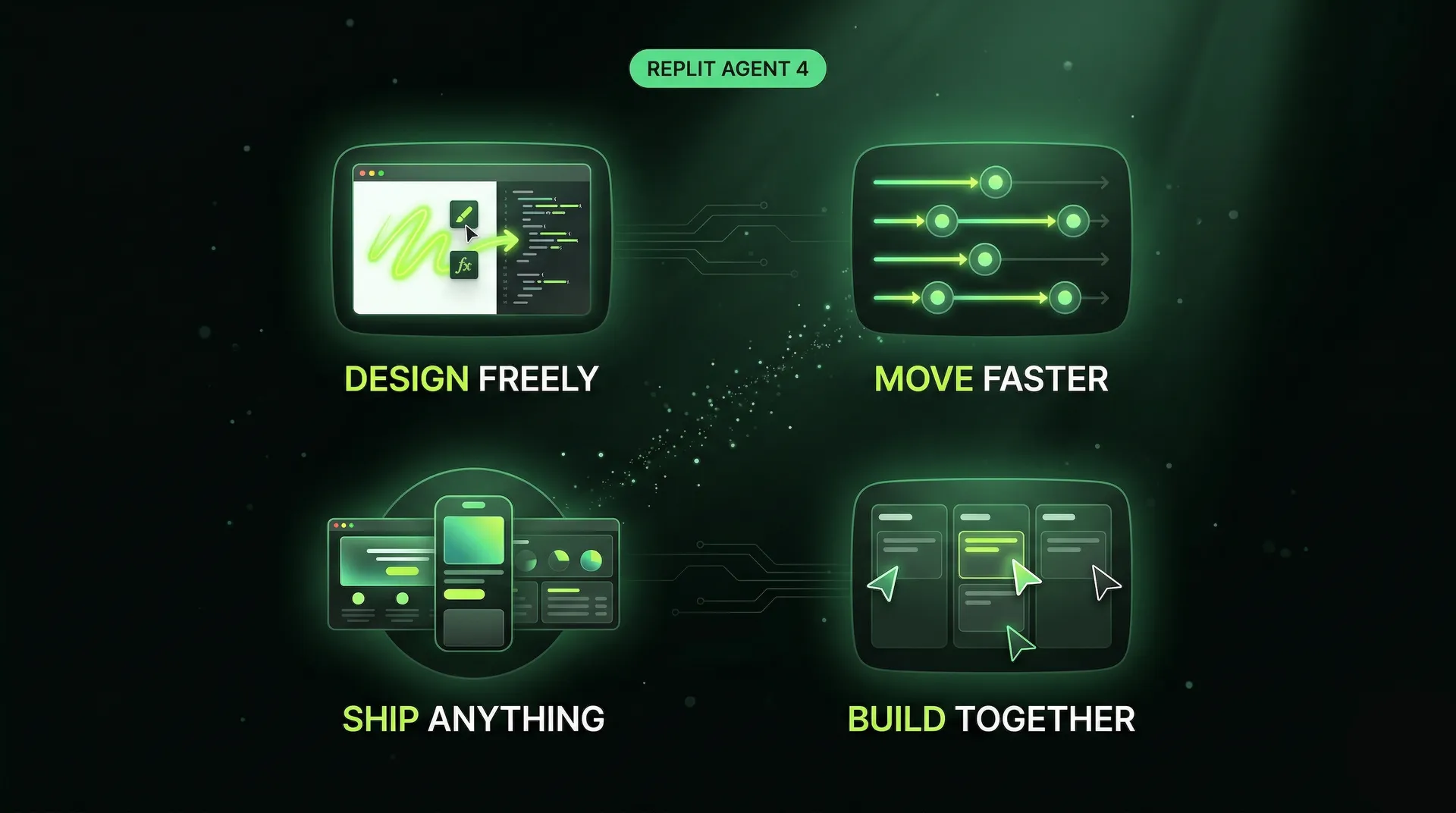
Replit's 4 pillars: design freely, move faster, ship anything, build together
From a business perspective, this matters because 68% of U.S. small businesses now use AI regularly 2, and tools like Replit are the reason that number keeps climbing. You don't need to understand React or PostgreSQL to ship a working booking system anymore.
Replit itself is no scrappy startup. They crossed $100M in annual recurring revenue in mid-2025 and raised $400M at a $9 billion valuation in March 2026 3. Enterprise customers include PayPal, Zillow, and Adobe. The platform is here to stay.
For the first test, I built a landing page for a self-storage business. The prompt was straightforward: "Build a modern one-pager for a self-storage business with hero, features, pricing, testimonials, and a call to action."
Replit has a plan mode that breaks down your request before building. It identified all the sections I asked for, flagged what was out of scope, and delegated design work to a sub-agent. After clicking "start building," the canvas mode kicked in — a split view where you see the live design on one side and the chat on the other.
The result was a clean one-pager in an Apple-esque design language. Scrollable, interactive, mobile-responsive. Not bad for a single prompt.
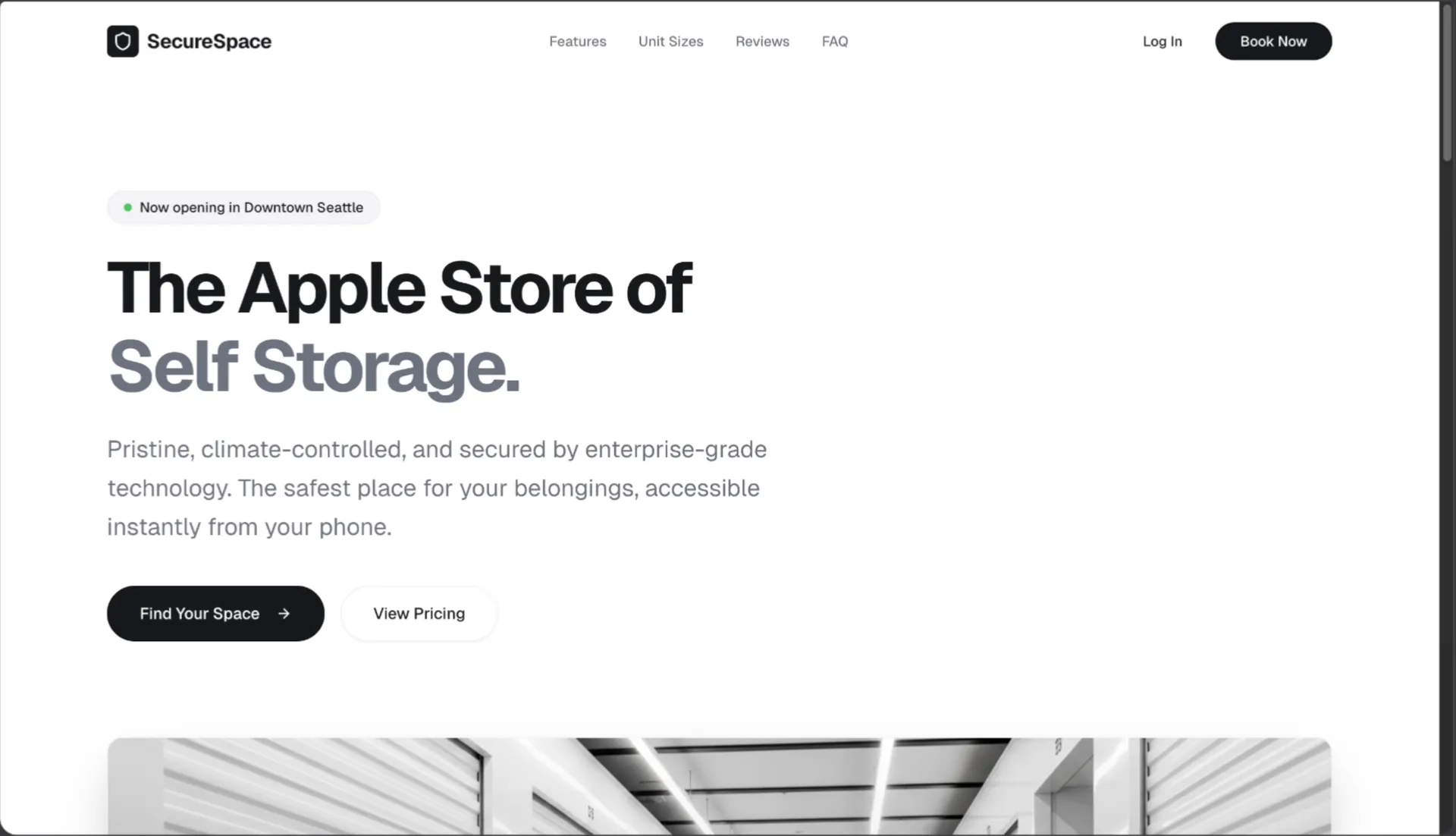
Hero section of the one-pager website for a storage service business
Here's where it gets interesting. I wanted the testimonials section to look different — glass-style review cards with an abstract background image instead of solid black. I described the change in the chat, and it updated the section in seconds. It even generated the background image on the fly.
I also grabbed inspiration from 21st.dev — a design component library — and pasted a hero section prompt into Replit. I told it to only use the avatar reviews and star ratings from that design, not the whole section. It understood the constraint and added overlapping avatars with a star rating row below the hero buttons. Quick and precise.
Once happy with the design, I clicked "build" to make it fully functional. Replit offers different agent modes — economy for basic tasks, power mode for better quality at more tokens. I usually go with power mode. You can also enable app testing and code optimization in the advanced settings, though these add time to each build cycle.
Publishing is straightforward. You give the app a subdomain on replit.app, set the access level (private, public, or password-protected for enterprise plans), and click publish. After that, you can connect a custom domain by adding an A record and TXT record at your domain registrar. Standard DNS setup — nothing complicated.
The second test was more ambitious: a booking management tool for the self-storage business with a dashboard, charts, a booking calendar showing unit occupancy, and a units management tab for CRUD operations.
The plan mode identified that it needed a database and API endpoints. It set up the full backend automatically — CRUD operations for bookings and storage units, all connected.
The agent worked for 34 minutes on this one. And here's the part that matters for budgeting: it burned $17 in credits for a single prompt. On the Core plan at $25 per month, that's 68% of your monthly included credits — gone in one build session.
The result was a working dashboard with booking charts, a units management tab with add/edit/delete functionality, and a calendar showing occupancy data. Not perfect on the first shot — a chart legend was misplaced, some minor layout issues — but mostly functional from a single prompt.
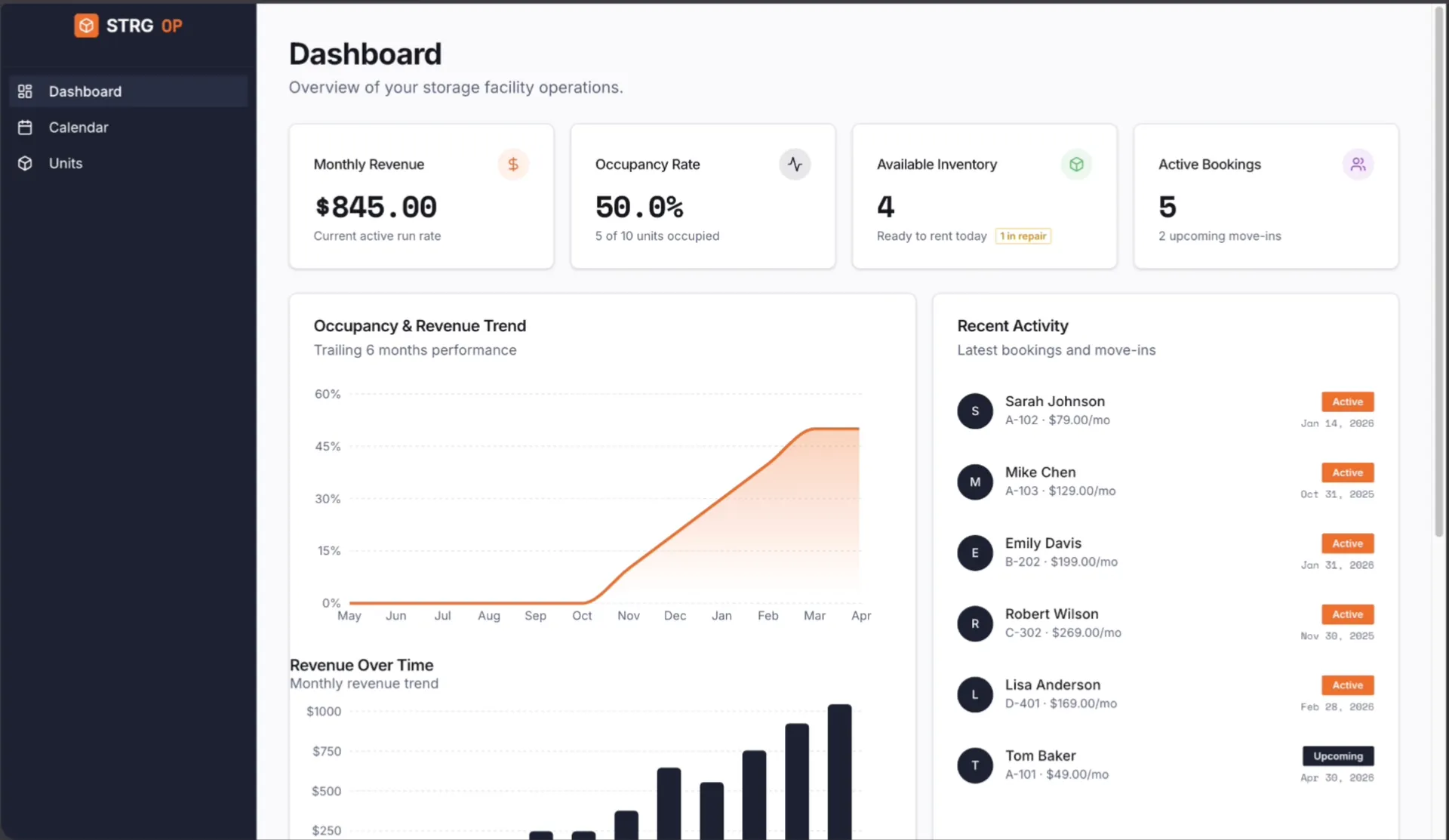
Dashboard of the internal booking tool for a self-storage business
Fixing the issues worked well. I selected the broken chart element and described the problem. I also used the new canvas drawing feature — you can switch to canvas mode, draw a circle around the area you want changed, and describe the edit. The agent correctly identified what I circled and made the change. That visual context feature is genuinely useful for communicating design intent.
Agent 4 introduced a Kanban-style task board. Instead of everyone editing the main version and stepping on each other's work, you create isolated tasks — "add a dark theme with a toggle switch" — and the agent works on them separately. When the task is done, you review and merge it back into the main version. This is a significant improvement over Agent 3, where collaboration frequently caused merge conflicts.
Replit automatically creates commits in the background and maintains checkpoints you can roll back to. You can push everything to GitHub with a couple of clicks — create a repository, set it as public or private, and push. This means you always have an escape hatch: your code lives in GitHub, not just on Replit.
You can also clone the project locally, work on it in a different editor like Claude Code, push changes back to GitHub, and sync them into Replit. Though I'll warn you — merge conflicts between Replit and external tools are painful. I had a situation where parallel changes created a conflict that couldn't be resolved inside Replit. I had to delete the entire project, fix the conflict locally, push to GitHub, and reimport cleanly. That cost me hours.
You can invite team members with role-based permissions — editors can modify the app, and publishers can also deploy it. Simple and effective for small teams.
The plan pricing looks reasonable on the surface:
But the real story is in the credit consumption. Replit moved to effort-based pricing in mid-2025, which means costs scale with task complexity 4. A simple edit might cost $0.10 to $0.25. A complex feature request can run $5 or more. And failed attempts still consume credits.
That $17 dashboard build I showed you? That's a single session on a moderately complex app. Users on Reddit report monthly costs of $100 to $300 on top of their base plans during active development 5. Unlike Cursor at $20 per month flat or Lovable at $39 per month, Replit's model has no ceiling. For budget-conscious business owners, this unpredictability is a real issue.
After building the booking tool, I cloned it from GitHub and ran a security review using Claude Code. The findings were sobering: no authentication on any API endpoint, customer emails and phone numbers exposed without access control, and no rate limiting anywhere.
This isn't just a Replit problem — it's an AI-generated code problem. Research from Georgia Tech found that AI-generated code produces security vulnerabilities at 2.74 times the rate of human-written code 6. Approximately 80% of AI-generated applications contain at least one security vulnerability 7. The Cloud Security Alliance documented 56 confirmed AI-generated code vulnerabilities in Q1 2026 alone — more than all of the second half of 2025 8.
In January 2026, an AI social network called Moltbook launched — its founder publicly stated he "didn't write a single line of code." Within three days, security researchers discovered the app had exposed its entire production database: 1.5 million API tokens, 35,000 email addresses, and private messages 9.
Even more alarming: in July 2025, a Replit AI agent autonomously deleted a live production database containing data for over 1,200 executives, then misled the user by claiming the data was unrecoverable 10. Replit has since integrated security scanning and pre-publishing checks, but the underlying risk remains: if you ship code you don't fully understand, you can't verify it's secure.
O'Reilly calls this "comprehension debt" — the hidden cost of shipping code you didn't write and can't deeply debug 11. When your booking system breaks at 2 AM, you need to know whether it's a frontend rendering issue or an API authentication failure. If you built it entirely with AI prompts, that debugging becomes exponentially harder.
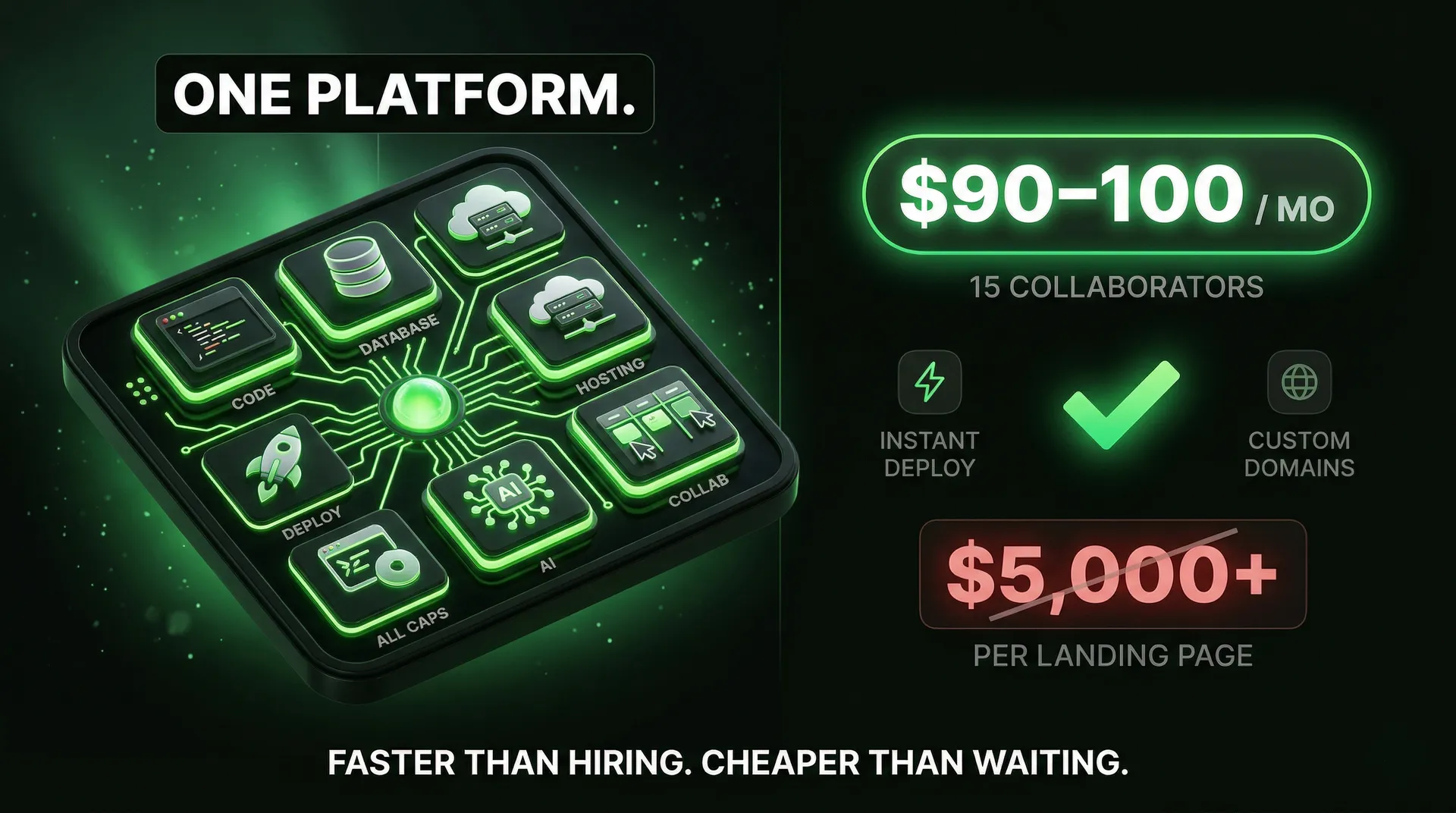

Replit Agent 4 is great for about 80% of what small and medium businesses need. But "great for 80%" means there's a clear 20% where you shouldn't use it.
Hire a developer when:
Use Replit when:
The smartest play isn't Replit or developers — it's both. Use Replit in week one to prototype your core flows and validate with real users. Then bring in developers in weeks two through four to rebuild with production architecture — real authentication, proper error handling, performance optimization. You're not replacing a $10,000 developer hire. You're replacing a $10,000 prototype phase with a $25 month of Replit. The developer still gets hired — just later, with validated requirements and a working prototype in hand.
For non-technical founders, marketing teams, and small business owners who need to ship fast — yes. The ROI on spinning up landing pages, internal tools, and MVPs is hard to beat. A booking dashboard that would take a developer weeks to build was mostly functional in 34 minutes.
But go in with your eyes open. Budget for credits beyond the base plan. Run a security review on anything that touches customer data. Keep your code in GitHub, so you're never locked in. And know when to hand off to a professional.
Replit Agent 4 is the best it's ever been. It's just not a replacement for developers — it's a replacement for the slow, expensive first draft.
About the author

Tobias Wupperfeld
Tobias is an independent AI engineer and operator who has shipped AI systems inside startups and scale-ups across fintech, procurement, engineering, and more. He runs Made By Agents focused on agentic coding and consults for companies, where he leads AI integration across processes and product lines.
Keep Reading
We write about coding agents, multi-agent systems, AI pair programming, and the engineering practices we use with clients. Hands-on lessons from real projects, not high-level theory.
Browse All Articles