- Services
An interactive directory that matches GPUs, Macs, and edge devices to local AI models, plus an ROI calculator vs Claude, GPT, and Gemini.

📝 Audio Version
Replacing AI subscriptions with local hardware
"What GPU do I need to run this?"
"Can my Mac handle it?"
"Is it cheaper than just paying for Claude forever?"
I got tired of watching people guess. So I built a directory that answers all three.
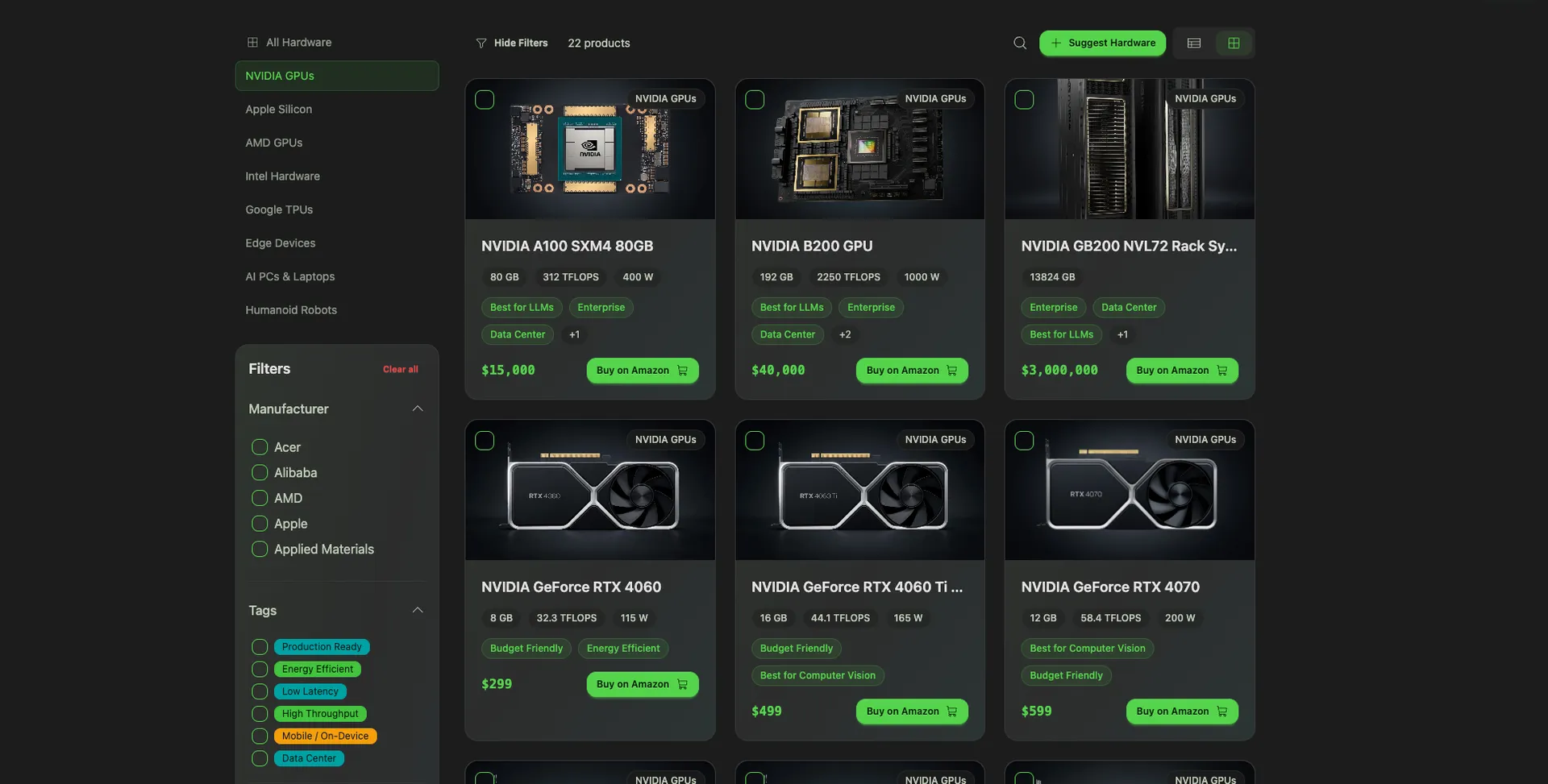
Meet the Made By Agents AI Hardware Directory: a decision engine for running AI locally. Pick your hardware, see which models actually run on it. Pick a model, see what you need to buy. Then run the numbers against your Claude or ChatGPT subscription and see the exact month you break even.
It's free, it's fast, and it's built for people who are done guessing.
The directory is different. It's a live, interactive system backed by a real database of hardware and models, with compatibility, benchmarks, and cost-modeling wired together.
Here's what you can do with it today:
Every page links to the pages next to it. Filter a GPU, jump to a compatible model, jump back to another GPU that also runs it. No dead ends.
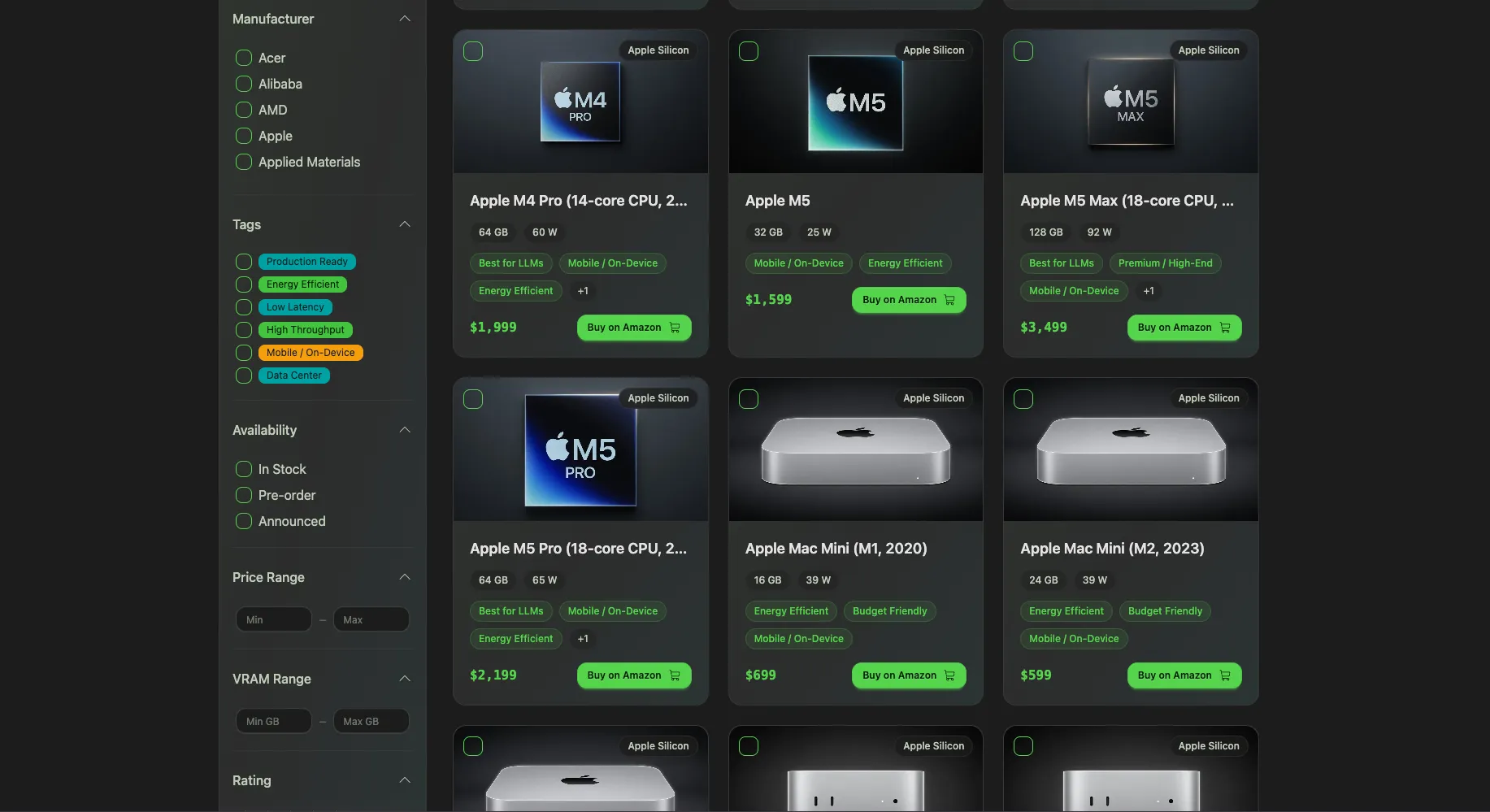
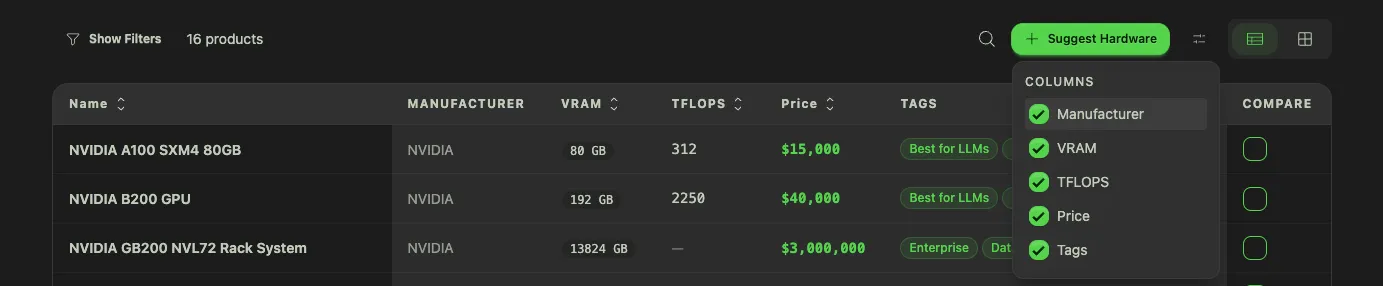
Start at /hardware. Filter by manufacturer, price range, VRAM, memory bandwidth, power consumption, whatever matters to you. You see a live grid of GPUs, Apple Silicon Macs, AMD cards, edge devices, and even phones.
Three features I shipped recently that are worth knowing about:
Click any product and you land on its detail page.
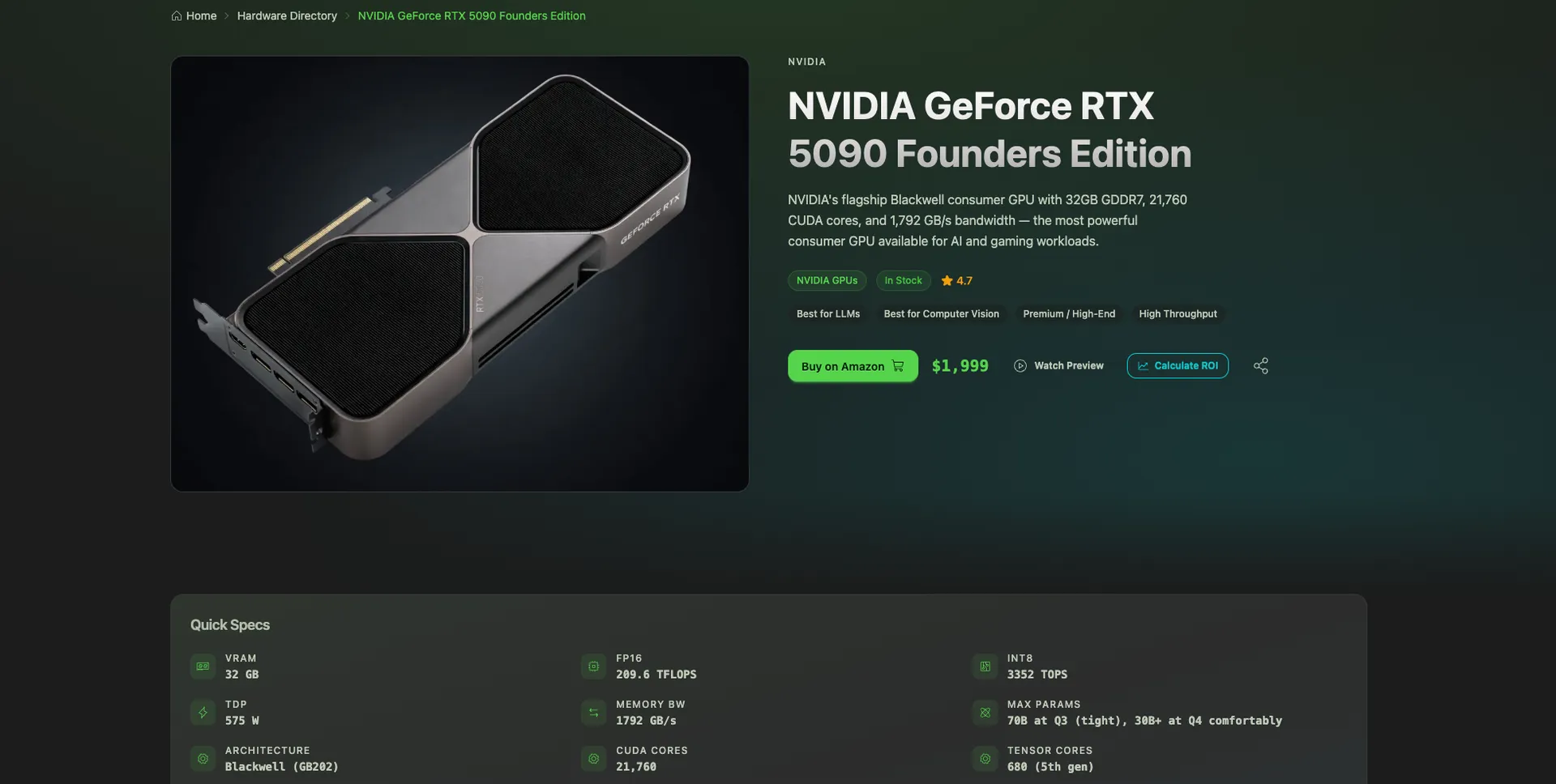
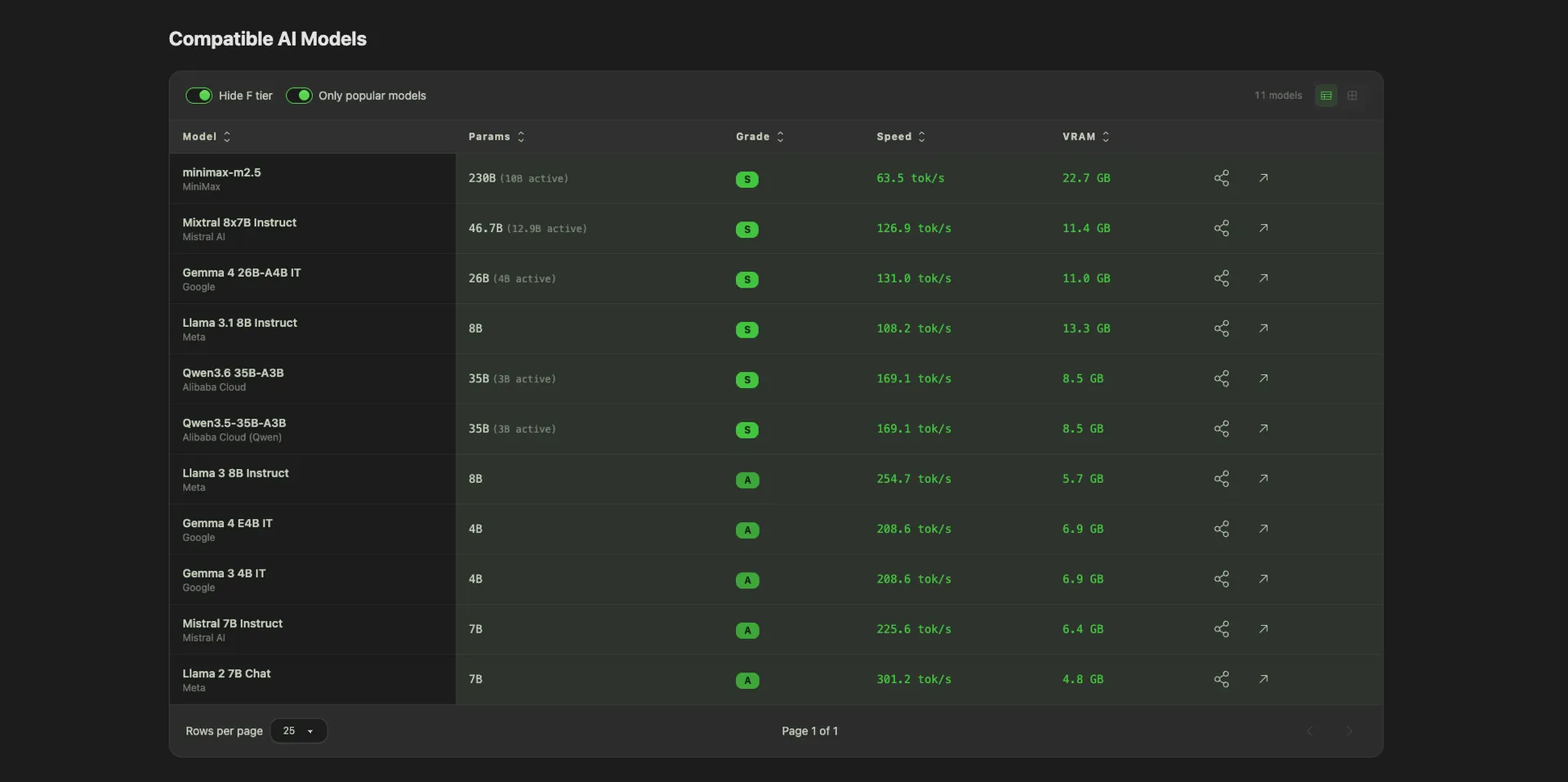
Each page has:
The copy, specs, and compatibility logic are generated with AI and cross-checked against real benchmark sources. That's how I can keep a directory this deep accurate without a team of editors.
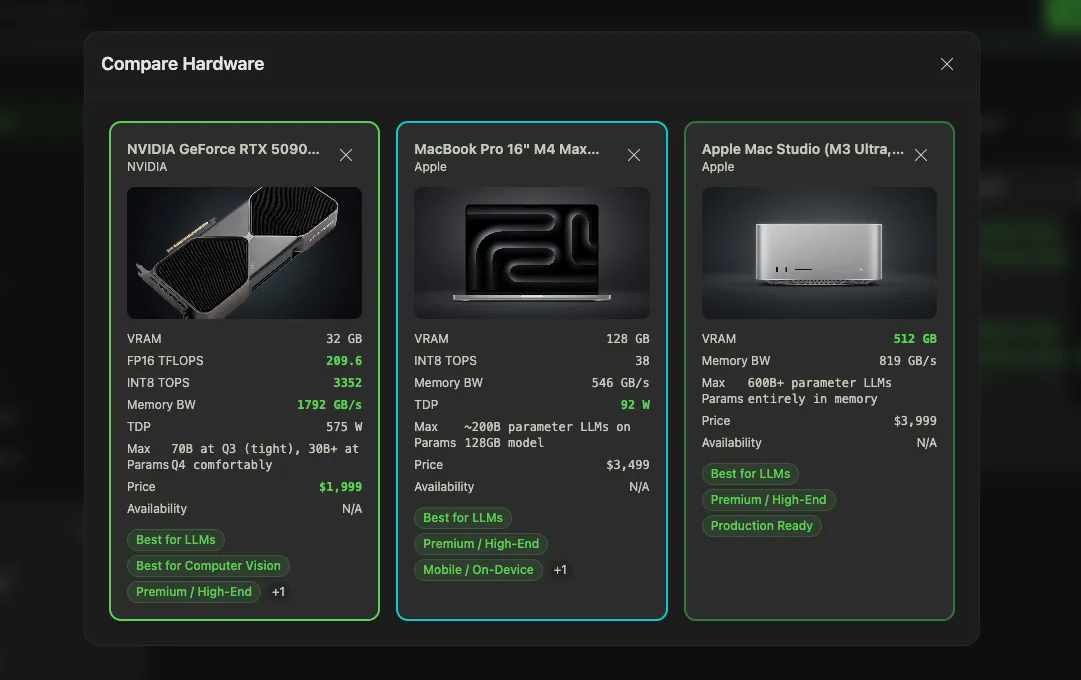
Pick any three products and see the spec differences at a glance. VRAM, memory bandwidth, tokens/sec on common models, price-per-GB of VRAM, power consumption. The table highlights where the products actually differ, so you don't have to read three detail pages in separate tabs.
This is the view to send to your teammate when you're arguing about which rig to buy.
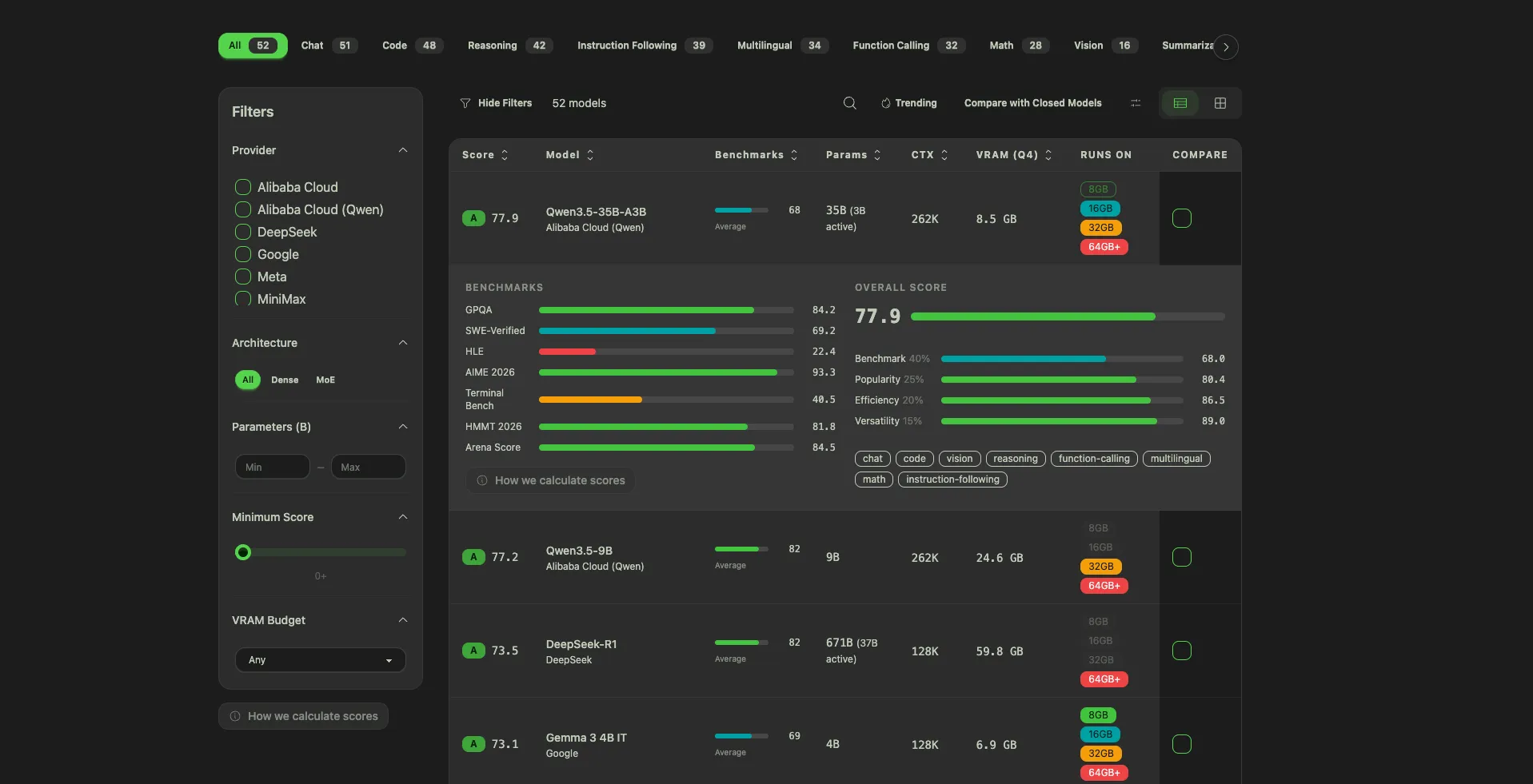
Over at /models you get the full table of local AI models: Llama, Qwen, Kimi, DeepSeek, Mistral, Phi, Gemma, and everything else worth running. Filter by parameter count, license, modality, or any of the 12 benchmarks we track. Sort by our proprietary composite score if you just want a starting point.
Three features on this page I'm particularly proud of:
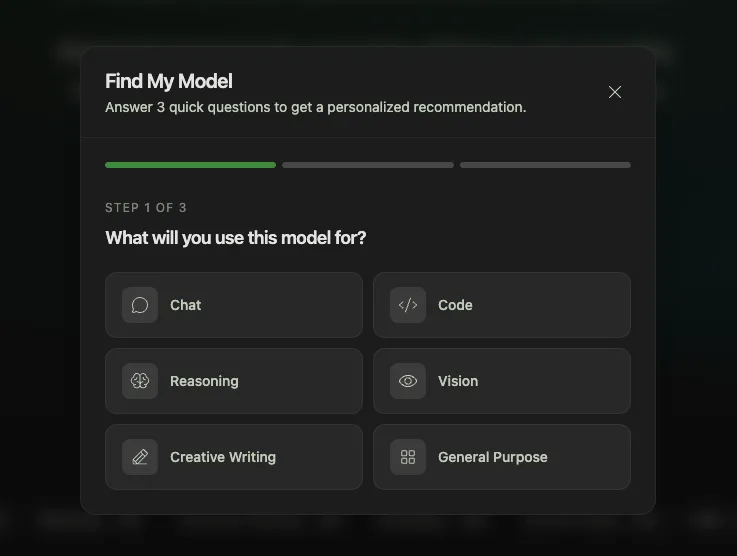
A 3-step survey that recommends the top 3 models for you:
In 10 seconds, you have a shortlist. No reading 40 GitHub READMEs.
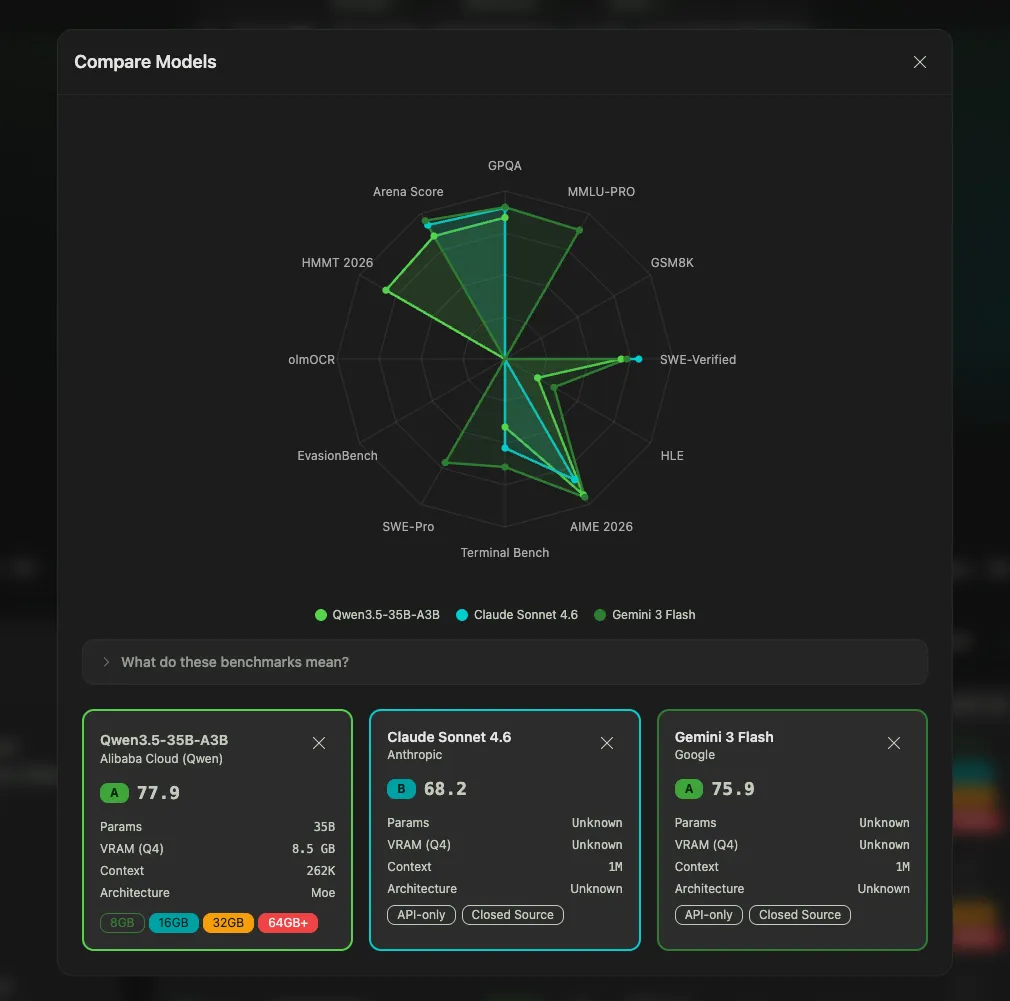
Pick any combination of open and closed models, up to several at once, and generate a radar chart across all benchmarks. Instantly see where each one wins and loses. It's the view that makes it obvious that Kimi K2.5 and Claude Opus 4.6 are closer than most people assume.1
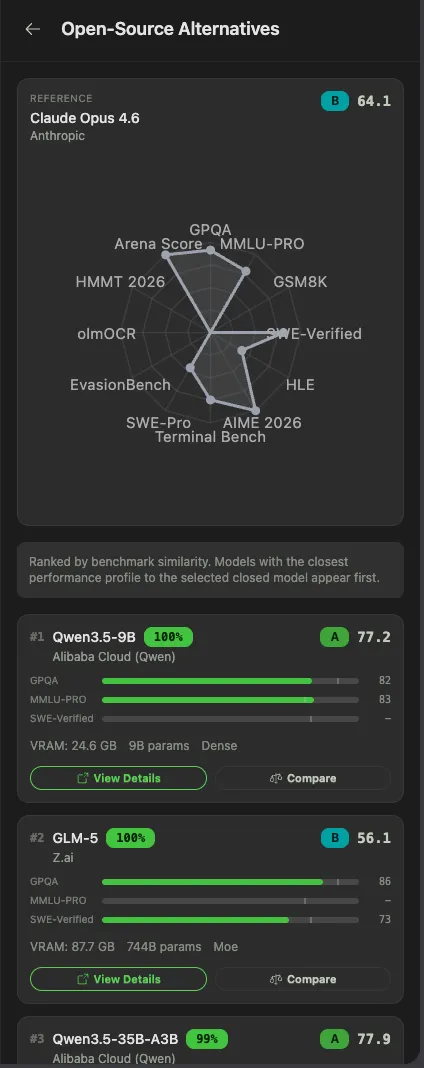
Paying $200/month for Claude Max? Start here. Pick a closed model and the directory runs a similarity search across all benchmarks to recommend the open-source models closest to it. Click through to the model detail page, see the hardware it runs on, go.
As of April 2026, Kimi K2.5 is 4 points behind Claude Opus 4.6 on SWE-Bench Verified and costs 76% less per benchmark suite run.2 DeepSeek V3.2 delivers around 90% of GPT-5.4's performance at roughly 1/50th the price.3 The gap has largely collapsed. You just need to know where to look.
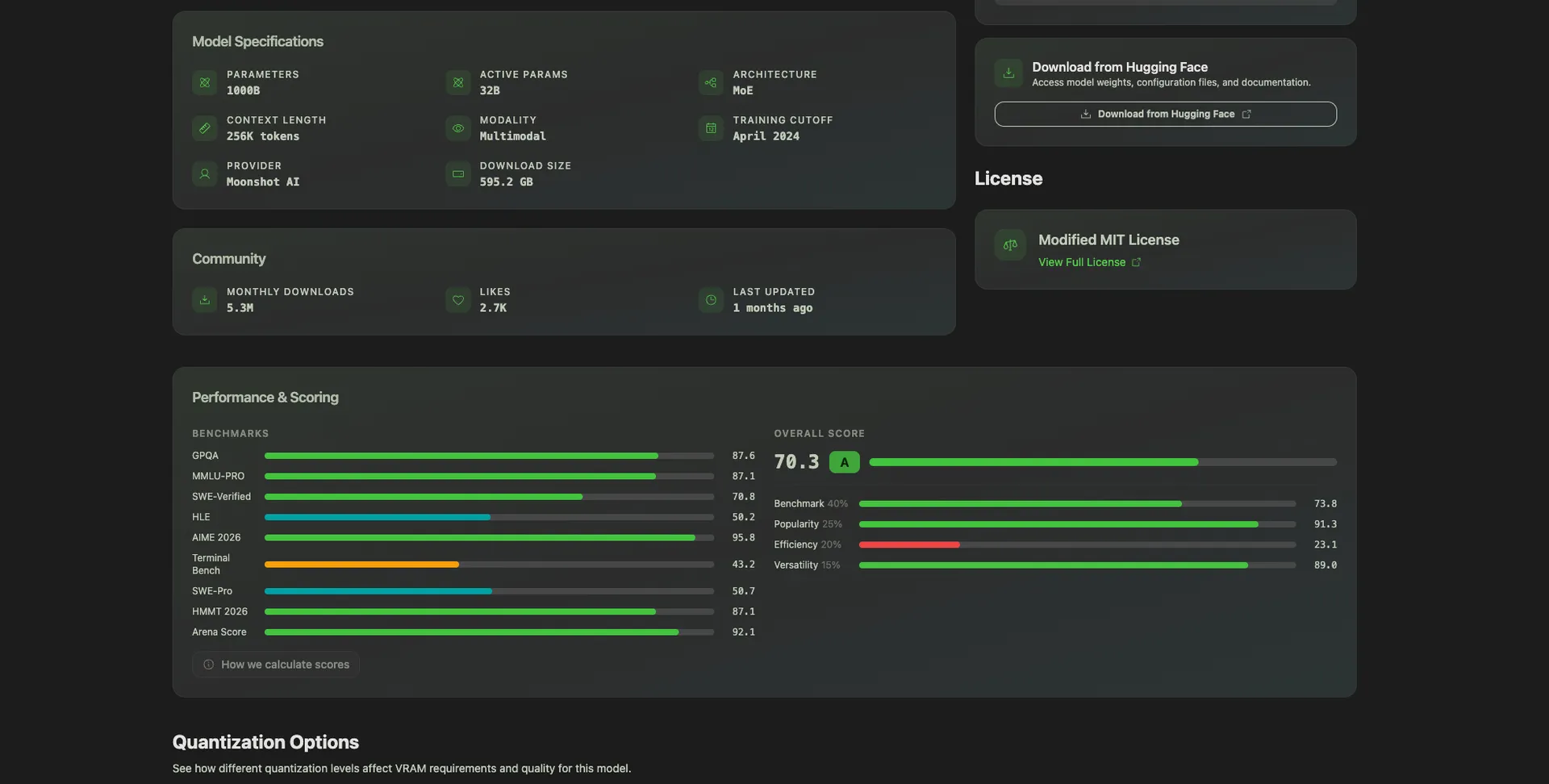
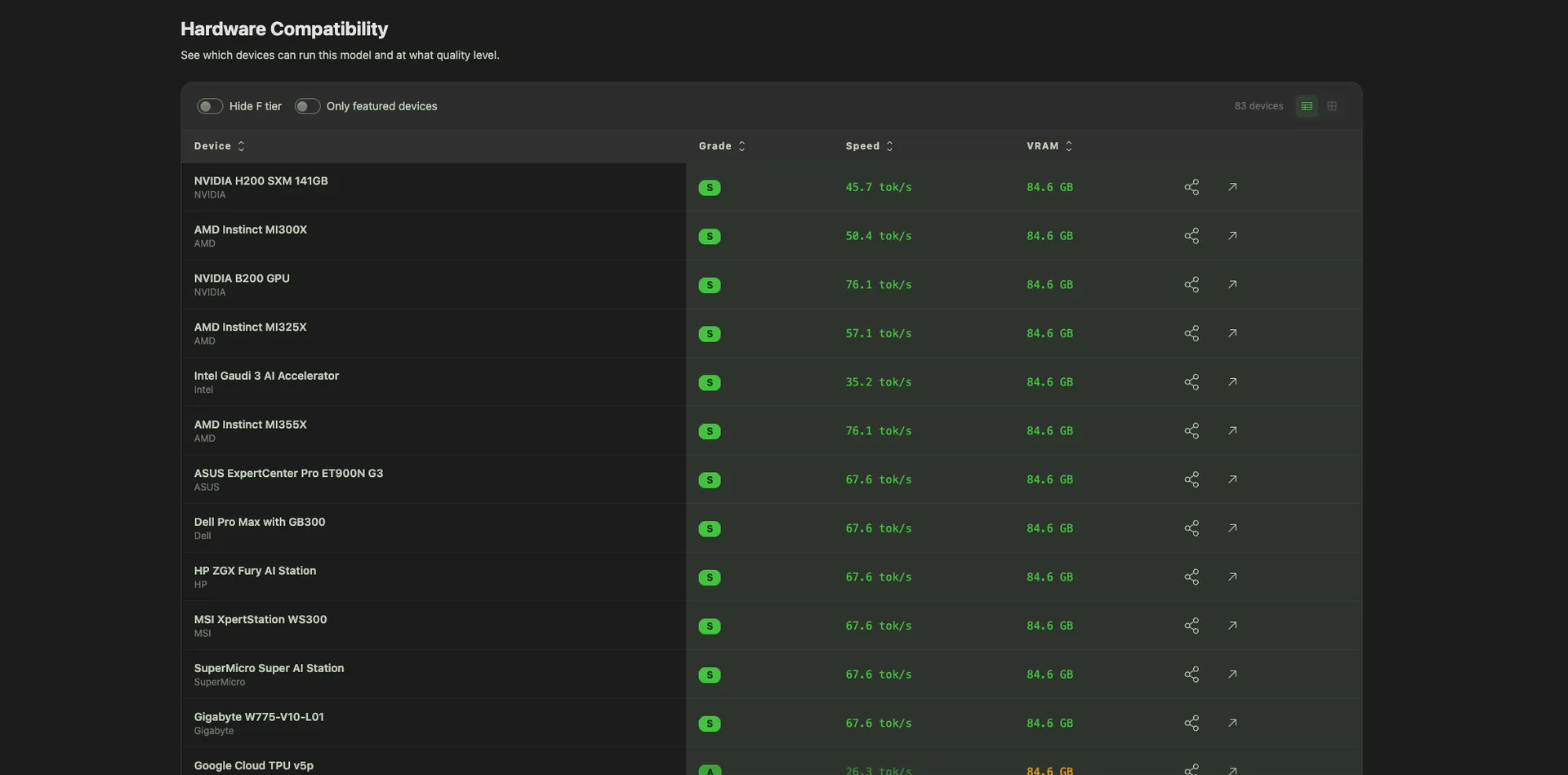
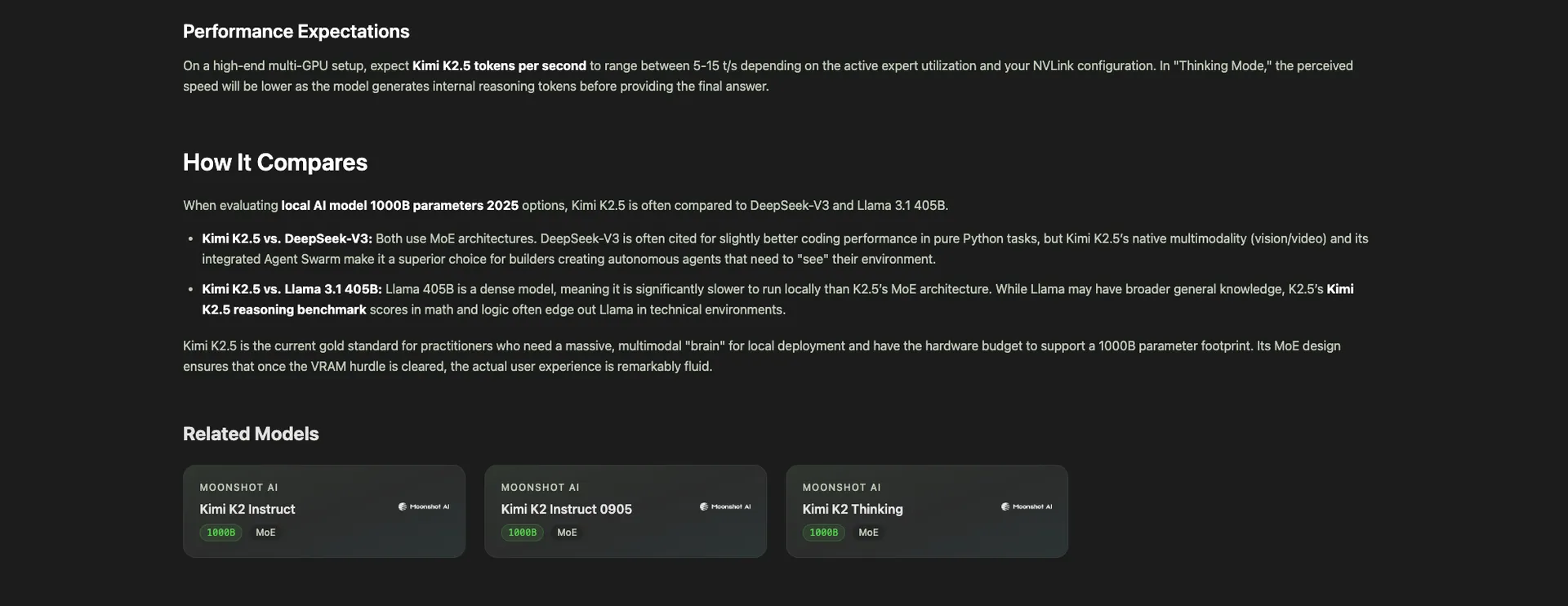
Each model has its own detail page with:
This is how the link graph closes: hardware page → model → different hardware → different model → back to the first hardware if you want. An infinite loop of useful comparisons.
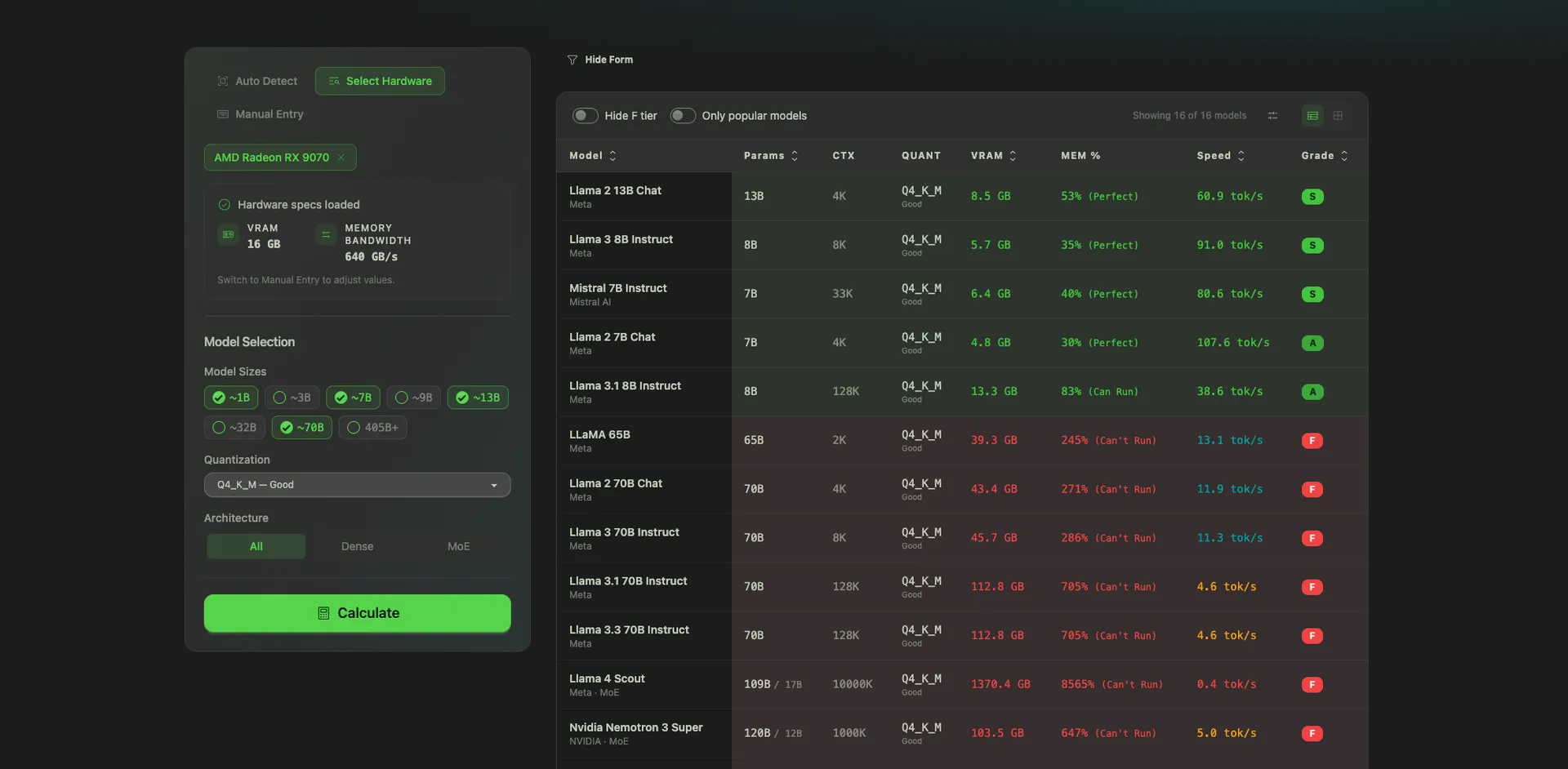
Go to /hardware/calculator. Two steps:
Click Calculate. You get a sortable table showing which models run on your hardware, what quantization fits, and approximate tokens per second. Sort by any column. Filter by tolerance.
This is the tool I wish existed when I bought my last Mac.
This is the one I'm most excited about.
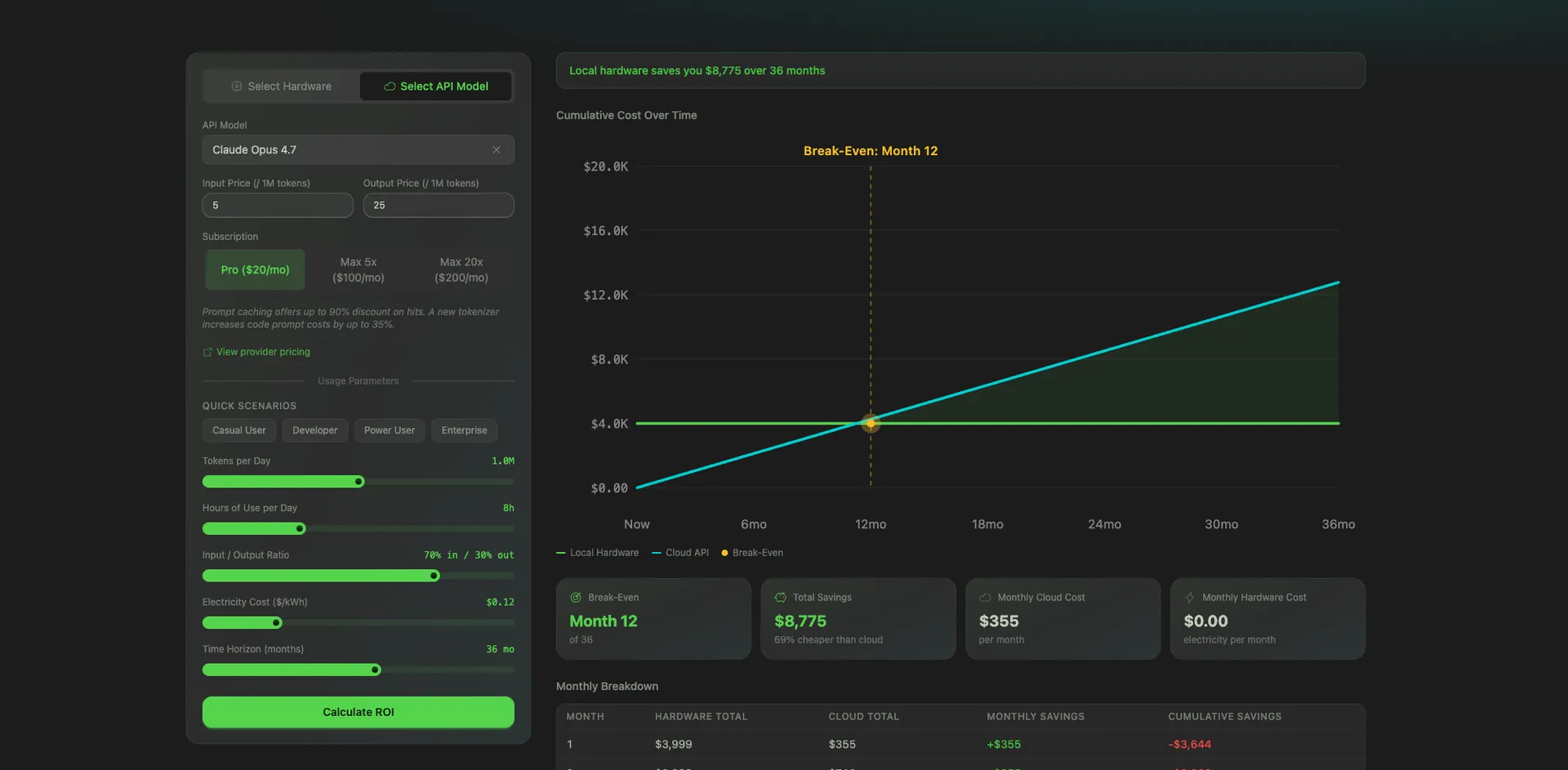
Go to /hardware/roi-calculator.
You get:
It works against any API or any subscription plan. Change the hardware, change the API, change the usage. The chart recomputes instantly.
I built an embeddable version of the ROI calculator too. Copy a snippet, paste it into your own blog post or product page, and your readers can run the numbers without leaving your site. Everyone gets a tool. I get backlinks. Fair trade.
Everyone buying Mac Minis for local AI obsesses over VRAM.
That's not the whole story.
Here's what actually determines how fast your models run:
1. VRAM tells you if a model will load. If the model weights are too big for your RAM, it won't run. Full stop. But once it loads? VRAM becomes almost irrelevant.
2. Memory bandwidth is what matters after that. It's the read/write speed of your RAM, and it's what controls how many tokens per second you get. Autoregressive LLM decode is memory-bandwidth-bound, not compute-bound; each generated token requires streaming the entire model's weights from memory.5
3. This is why data center GPUs feel like cheating. An NVIDIA H200 has 4.8 TB/s of memory bandwidth.6 An M4 base chip has 120 GB/s.7 That's a ~40x gap. Not just "more RAM," but a completely different quality of RAM. Even flagship consumer cards like the RTX 5090 (1.79 TB/s) sit ~2.7x behind the H200.8
4. Apple has pushed bandwidth hard across M-chip generations. M1 base sat at 68 GB/s. M4 base hits 120 GB/s. M5 base is 153 GB/s. The real story is in the Max and Ultra tiers: the M3 Ultra hits 819 GB/s, which is how a $9,499 Mac Studio runs the full 671B-parameter DeepSeek R1 locally at 17–18 tokens/sec.9
5. I only figured this out while building the directory. You can't design a hardware-to-model compatibility engine without going deep on how inference actually works. VRAM gets the headlines. Bandwidth is the hidden lever.
The directory surfaces both, side by side, on every hardware page and every comparison. Because both matter.
I was tired of answering "what should I buy to run AI locally?" in Slack DMs. Every answer depended on 10 variables: the model, the quant, the use case, whether you'd also pay for an API, and how much privacy mattered. It was a decision, not a lookup. Static blog posts can't make decisions.
So I flipped the brief: instead of writing another "Best GPUs for local LLMs" post, build a system that answers the question for any input.
Three principles:
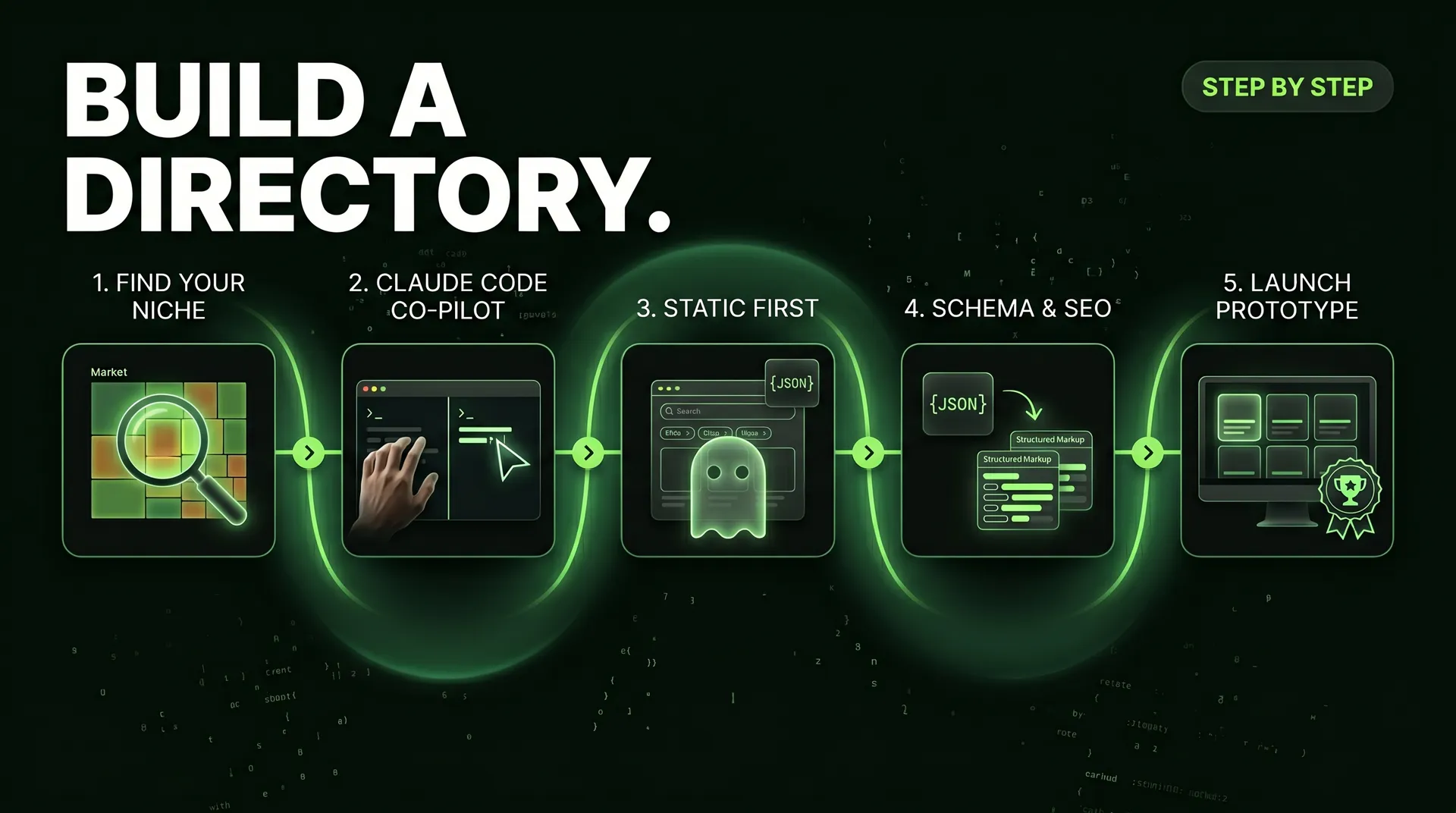
I started with the database schema. Hardware, models, benchmarks, compatibility relationships, pricing, and power consumption. Then I built the hardware page, the model page, the product and model detail pages.
Once that was solid, I layered in the decision engines: Find My Model, compare-up-to-3, find-open-source-alternatives, the radar chart, the hardware-to-model calculator, and the ROI calculator. Each one answers a specific question a real user asks.
The whole thing is built on Next.js with Payload CMS as the backing data layer. Fast, typed, and easy to extend.
I don't build tools for fun. Well, not only for fun. Here's the actual business case:
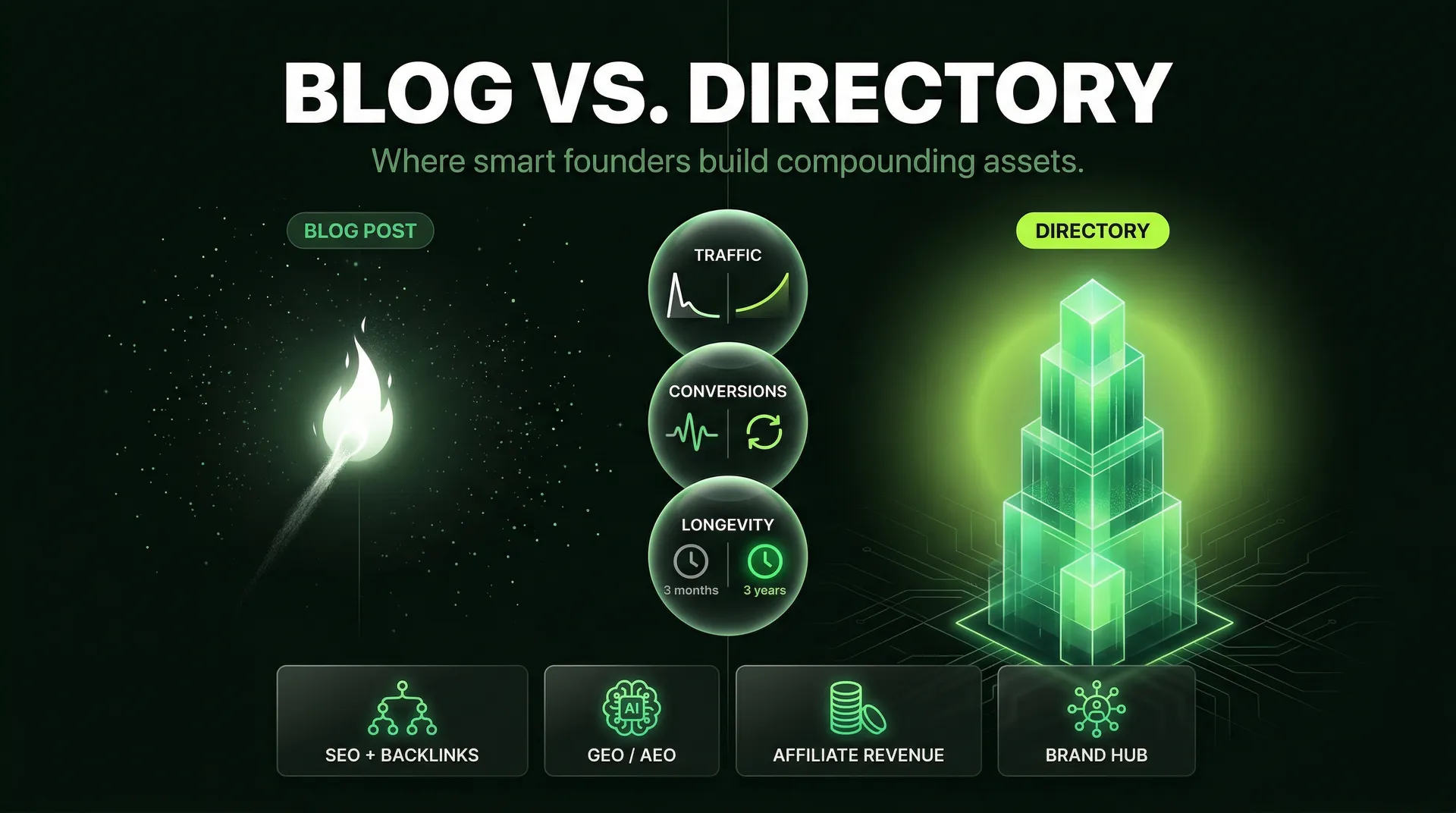
SEO. The directory is a content surface. Thousands of long-tail queries ("can my M4 MacBook Pro run Qwen3?", "how much VRAM for Llama 70B?", "Claude Opus alternative open source") get a dedicated page with real data. Google likes depth and freshness. A directory wins both.
GEO and AEO. Generative Engine Optimization and Answer Engine Optimization are the next SEO. When someone asks ChatGPT or Perplexity, "What's the best open-source alternative to Claude for coding?", the assistant needs a source with dated, specific, tabular claims. That's exactly what the directory produces. Every page is citation-bait for AI assistants.
Free traffic, compounding. Static blog posts decay. A directory with a live database and interactive tools keeps producing fresh answers to fresh questions. As new models and hardware get added, the surface area grows automatically.
Affiliate commissions. Every hardware product has an Amazon buy link. When someone uses the directory to pick a GPU and then buys it, we earn a commission. It's the cleanest possible alignment: the better the recommendation, the more the business earns.
This isn't a side project. It's a distribution engine.
A few things I'm working on:
If you know the model you want to run, start on /models, click through to its detail page, and see what hardware runs it.
If you already have the hardware, open the hardware-to-model calculator, auto-detect your setup, and get the list of models that fit.
If you're trying to decide whether to buy anything at all, go straight to the ROI calculator. Plug in the hardware you're eyeing, the API you're paying for, and your usage. See the month you break even.
And if you're paying $200/month for Claude Max or ChatGPT Pro, run the numbers against Kimi K2.5 on a MacBook Pro. You might be surprised how quickly local wins.
Free. Private. Built for people who are done guessing.
About the author

Tobias Wupperfeld
Tobias is an independent AI engineer and operator who has shipped AI systems inside startups and scale-ups across fintech, procurement, engineering, and more. He runs Made By Agents focused on agentic coding and consults for companies, where he leads AI integration across processes and product lines.
Keep Reading
We write about coding agents, multi-agent systems, AI pair programming, and the engineering practices we use with clients. Hands-on lessons from real projects, not high-level theory.
Browse All Articles