
- Services
Advertising disclosure: we earn commissions when you shop through the links below.
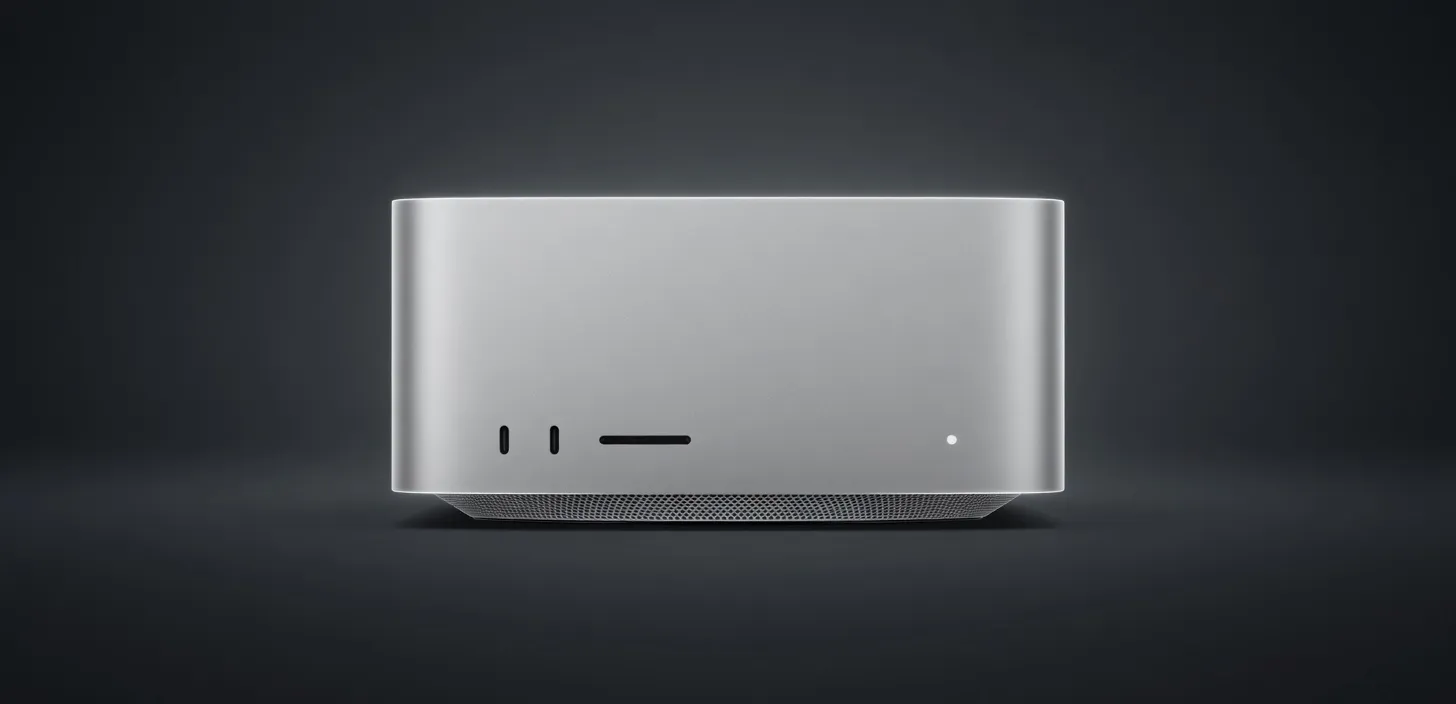
Apple's compact desktop workstation configured with the M5 Max chip, announced August 25, 2026 and available from September 22, 2026. It pairs an 18-core CPU with up to a 40-core GPU that has Neural Accelerators in each core, a 16-core Neural Engine, and up to 128GB of unified memory at up to 614GB/s bandwidth. Apple positions it for local AI inference and demanding pro workflows, and Thunderbolt 5 lets multiple units be clustered for distributed inference. Starting price is $2,499.
Manufacturer's suggested retail price. Current prices can be higher or lower. This is not a live price.
Sized for production serving of 70B–200B class models at full or lightly-quantized precision. Overkill for a homelab; right call when the workload pays for itself in token volume.
Generated from this product’s spec sheet. Editor reviews refine it over time.
The Mac Studio (M5 Max) positions itself as one of the most practical desktop workstations for local AI inference, agentic orchestration, and developer prototyping. Priced starting at $2,499, this machine enters the prosumer and workstation space where developers frequently struggle to balance VRAM capacity, power draw, and physical desktop footprint. Configured with Apple's M5 Max silicon, an 18-core CPU, and up to 128GB of unified memory, the platform shifts local AI viability away from power-hungry, multi-GPU desktop rigs toward unified memory architectures.
For developers evaluating Unknown hardware for AI development, the M5 Max variant of the Mac Studio delivers an impressive ratio of usable addressable memory to total system cost. Because Apple Silicon uses a unified memory architecture (UMA), the entire 128GB pool can be shared dynamically between the CPU, the 40-core GPU, and the 16-core Neural Engine. This eliminates the traditional PCIe bottleneck when offloading large weights to discrete graphics cards, establishing the Mac Studio (M5 Max) for AI workflows as a premier contender for quiet, continuous, on-desk execution.
With native framework optimizations in Apple's MLX library and wide compatibility with tools like llama.cpp, Ollama, and vLLM via Metal backend acceleration, the M5 Max turns complex multi-agent architectures into turn-key desktop operations. The inclusion of high-bandwidth Thunderbolt 5 ports also allows practitioners to link multiple units in distributed tensor-parallel setups, making the system an adaptive entry point for teams building private, production-grade AI pipelines.
Evaluating hardware for AI workloads demands close attention to three hardware pillars: unified memory capacity, memory bandwidth, and sustained compute density. The M5 Max silicon targets each of these metrics directly.
Traditional PC setups require splitting memory between system RAM and discrete GPU VRAM. The Mac Studio (M5 Max) eliminates this boundary. Configured at its ceiling, it provides what effectively functions as a 128GB GPU for AI tasks. Because macOS allows dedicating up to roughly 75% to 80% of system memory to GPU allocations via Metal (and even higher with custom boot adjustments), developers can allocate over 100GB of continuous space directly to model weights and active KV caches.
Autoregressive language model generation is strictly memory-bandwidth bound during the token-by-token generation phase. The M5 Max is offered in two primary configurations:
At 614 GB/s, Mac Studio (M5 Max) AI inference performance easily outpaces single consumer GPUs burdened by PCIe bottlenecks, allowing dense 70B parameter models to generate output at real-time reading speeds.
Compute is distributed across an 18-core CPU (comprising 6 super cores and 12 performance cores), up to a 40-core GPU with dedicated Neural Accelerators embedded directly inside each graphics core, and a standalone 16-core Neural Engine. The Neural Accelerators embedded into the GPU execute matrix multiplication operations with low latency, reducing time-to-first-token (TTFT) during prompt ingestion, which is typically compute-bound.
The system achieves these throughput numbers while consuming between 70W and 150W under heavy inference loops. The compact aluminum enclosure remains virtually silent on a standard desk. For clustered inference, the four Thunderbolt 5 ports deliver bidirectional speeds up to 80 Gbps (and up to 120 Gbps bandwidth boost), allowing ultra-fast interconnects for distributed ring-buffers or multi-node model sharding over 10Gb Ethernet.
The practical value of any local inference machine depends on what model sizes fit in active memory and run at usable speeds. The Mac Studio (M5 Max) VRAM for large language models ensures you are never restricted to toy models.
For high-context agentic tasks, the sweet spot on the M5 Max is Q4_K_M or Q5_K_M quantization on 70B models. This leaves massive dynamic headroom for storing KV cache states across 64K to 128K context windows without spilling memory into swap or degrading system responsiveness.
Vision-language models like Llama 3.2 Vision (11B and 90B) and Qwen2-VL run natively via Apple Silicon acceleration. Reasoning models like the DeepSeek-R1 distilled variants execute efficiently, allowing developers to run complex, step-by-step chain-of-thought analysis entirely offline.
The Mac Studio (M5 Max) targets technical users who need enterprise-grade AI execution without data center power supplies, loud server racks, or ongoing cloud API subscription fees.
When evaluating the Mac Studio (M5 Max) vs dual Nvidia GeForce RTX 4090 workstations, the trade-offs reflect differing architectural priorities.
A dual RTX 4090 system delivers significantly higher memory bandwidth (over 1,000 GB/s per card) and substantially faster raw compute for FP16 operations. However, dual 4090 setups cap you at 48GB of total VRAM (24GB per card) unless using complex layer-splitting across cards. If you want to run a 70B model at high precision or a dense 120B model with a 64K context window, a 48GB ceiling is insufficient. The custom PC also consumes 800W to 1000W under load, requires custom liquid cooling or high-decibel fans, and occupies massive physical space.
Compared against professional workstation GPUs like the Nvidia RTX 6000 Ada (48GB VRAM) or server-grade cards, the Mac Studio (M5 Max) costs significantly less while providing 128GB of addressable memory. While discrete Nvidia hardware retains an advantage in CUDA-native library maturity and raw training throughput, the Mac Studio (M5 Max) represents the best AI chip for local deployment when your priority is running large-parameter inference, maintaining massive context lengths, and keeping your workstation silent and energy-efficient. For developers looking for the best hardware for running AI models locally within a single self-contained unit, the M5 Max Mac Studio is a class leader.
The top models this device can run at 4-bit, ranked by fit and speed.
| Model | Grade | Speed | VRAM |
|---|---|---|---|
| Mixtral 8x7B InstructMistral AI | SS | 43.5 tok/s | 11.4 GB |
| AliceAI-Foundation-80B-A3B-Baseyandex | SS | 57.9 tok/s | 8.5 GB |
| Gemma 4 26B-A4B ITGoogle | SS | 44.9 tok/s | 11.0 GB |
| Xing4.0-29B-A4BChina Telecom AI | SS | 44.1 tok/s | 11.2 GB |
| DiffusionGemma 26B-A4BGoogle | SS | 47.1 tok/s | 10.5 GB |
Among 6 similar devices, the Mac Studio (M5 Max) ranks #4 for memory and #4 for memory bandwidth.
Also in Our Store
Docks, fast storage, cables, and a UPS sized for a local AI machine.

Rent this class of GPU by the hour before you buy. Live prices from RunPod and Vast.ai.
Find the break-even between buying this hardware and paying for a cloud API.
Mac vs NVIDIA for local inference, if you are still choosing a platform.
